concept space in category nativescript
This is an excerpt from Manning's book NativeScript in Action.
Table 6.1 Different methods for specifying the size of a row or column in a grid layout.
Sizing Method
Value
Description
pixel
# of pixels
Sets the width and height of a row or column by specifying an exact (or fixed) number of pixels.
percentage
*
Distributes rows and columns across all available space in the grid layout. Available space is proportionately divided across all percentage rows and columns. Percentage sizing always uses the maximum amount of space available in a grid layout.
automatic
auto
Sets the size of rows and columns based on the size of UI elements within the grid cells. Row height is set to the height of the tallest grid cell in the row. Column width is set to the width of the widest grid cell in the column. Automatic sizing uses the minimum amount of space needed by its contents.
Listing 11.15 The scrapbookUpdate-page.xml file at the end of chapter 10
<Page loaded="onLoaded"> <Page.actionBar> ... #1 </Page.actionBar> <StackLayout> <StackLayout class="form"> #2 ... #1 </StackLayout> #2 <Button class="btn btn-primary #2 btn-rounded-sm btn-active" tap="onAddImageTap" #2 text="Add Image" /> #2 </StackLayout> </Page> #1 UI code for the action page and data entry form purposely truncated for space #2 These elements will be copied to the tablet-specific page
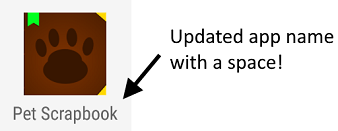
Figure 12.17 The Pet Scrapbook app installed on an Android device, showing an updated app name (with a space).