concept integration in category .net

This is an excerpt from Manning's book Continuous Integration in .NET.
Reduced risks—By implementing good CI processes, you’ll create better software, because you’ll have done testing and integration earlier in the process, thus increasing the chances of catching bugs earlier. We’ll talk more about reducing risks in the next section.
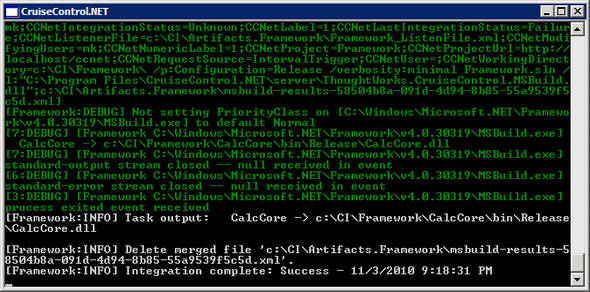
Figure 4.9. CCNet in console mode is best for initial trial-and-error configuration or troubleshooting your configuration. The CCNet console displays a lot of information about what’s going on, such as how the integration is going and what the build is saying. It’s great for debugging your CI process.
In chapter 5, we compared continuous feedback to a cross-country road trip. In this chapter, we’ll focus on additional testing techniques. Think of each testing technique as an important stop on your cross-country journey. We’ll introduce integration, system, and acceptance testing. And you’ll see a lot of tools in this chapter; table 7.1 gives a quick overview of the tools we’ll talk about.
The test results that FitNesse produces are simple HTML documents. Integration with TeamCity is straightforward. As you learned in previous chapters, add the FitNesseLog.html file to your project artifacts, and define a new FitNesse project tab. After the next test run, you see the tests results on the TeamCity webpage.