concept kubectl in category .net

This is an excerpt from Manning's book Microservices in .NET Core, Second Edition.
This will install and start the Kubernetes cluster. Furthermore this installs the
microk8scommand line interface which includes thekubectlcommand that we are going to use. To make it a bit easier to follow along with the work in the following sections you can create an alias for kubectl:
Figure 3.5. Docker Desktop Kubernetes settings
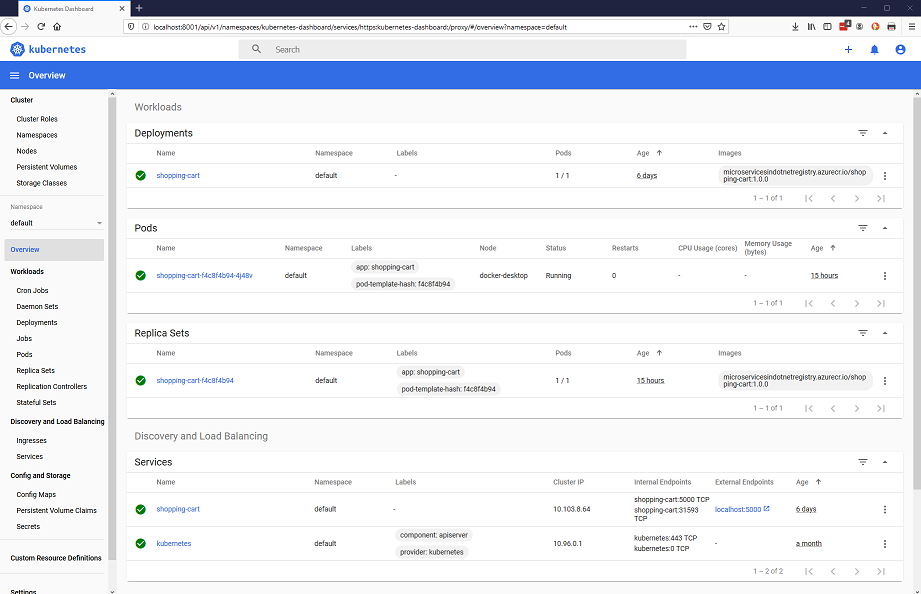
Once the Loyalty Program API and the Special Offers microservice is deploy we should se both running in Kubernetes both in the Kubernetes dashboard (which we configured in chapter 3) and in the
kubectlcommand line:
We can also see from this that the Loyalty Program event consumer by looking at the last shedule column. In my case the cron job has been triggered 20 seconds ago.
We can also see a list of recent invocation of the Loyalty Program event consumer by looking at the Kubernetes jobs list:
> kubectl get jobs
NAME                                  COMPLETIONS   DURATION   AGE
loyalty-program-consumer-1590755940   1/1           2s         11s
loyalty-program-consumer-1590757080   1/1           2s         1m11s
loyalty-program-consumer-1590757140   1/1           3s         2m11s
This concludes the deployment of the Loyalty Program microservice. The API part as well as the event consumers part is running in our Kubernetes cluster in AKS. The Kubernetes manifest we have created for the Loyalty Program is the template for the manifests for all the microservices we will create, only the container images will have different name and the event consumer schedules will vary.