concept TFS source control in category .net

This is an excerpt from Manning's book Continuous Integration in .NET.
In this chapter, you’ll learn why a source control system is essential not only for the CI process, but also in the day-to-day life of the developer. You’ll choose a suitable tool for your needs, taking into consideration a number of attributes. Subversion (SVN) and Team Foundation Server (TFS) source control will prove to be the source control systems to choose from. We’ll look at the VisualSVN Server as a suitable Subversion package for the Windows platform. You’ll learn how to use TortoiseSVN, a great SVN Windows client. And last but not least, you’ll prepare and dispatch to source control the sample project introduced in chapter 1. After that, you’ll learn how to do the same with TFS source control. But first, why do you need a source control system in your CI environment?
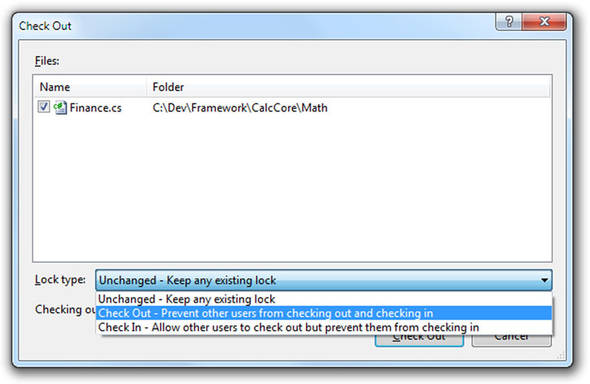
Figure 2.40. Locking a file in TFS source control prevents other users from checking in (just as with SVN) or prevents check in and check out.
Another useful feature of TFS source control is the ability to shelve changes. This lets you stack the changes you want to keep safe under source control but don’t want to check in yet. Imagine that you’ve worked all day Friday on a new feature. You aren’t finished, so you don’t want to check in the file; but the changes are too valuable for you to keep on your laptop over the weekend. You can create a shelf in TFS source control and send your changes there.
Unlike the example you saw earlier with Subversion, you don’t need any external tools to manage code with TFS if you’re using Visual Studio. As we said earlier, TFS is a lot more than source control. The source control tooling is tightly integrated with Visual Studio. From this perspective, it can be easier to use TFS than to gather all the SVN tooling, because everything is done from inside the development environment. It’s possible to use command-line commands to manage TFS source control. In this case, you’ll go the Visual studio way.