concept image in category opencl

This is an excerpt from Manning's book OpenCL in Action: How to Accelerate Graphics and Computation.
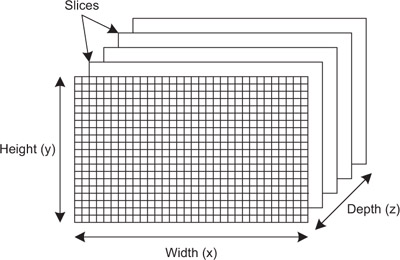
The first two arguments are the same as those used to create buffer objects. The third argument identifies the format in which the image data is provided. The rest of the arguments, with the exception of error, identify the dimensions and pitches of the pixels in the image.
Once an image object is created, it can be sent to a device as an argument of the kernel function. This works just as it does for buffer objects. If you call clSetKernelArg with the cl_mem object, the kernel function will be able to access the image as a regular argument. For example, the following code makes the preceding image object an argument of the image_knl kernel:
clSetKernelArg(image_knl, 0, sizeof(cl_mem), &image);
The third parameter of clCreateSampler has type cl_addressing_mode. This tells the kernel how to read color values at coordinates beyond the image’s size. For example, if an image’s size is 60 by 80, its pixel coordinates run from (0, 0) to (59, 79). If the kernel asks for color values at (150, 200) or (–5, –10), the addressing mode will determine what color should be returned. If the addressing mode holds these color values to those on the image’s border or a default border color, we say that it clamps the output color.
For example, suppose you want to read the color from a two-dimensional image object called image at coordinates (3, 4). If you want the color value as a float4 vector, you’d make the following function call: