concept pull server in category powershell

This is an excerpt from Manning's book Windows PowerShell in Action, Third Edition.
DSC for Linux performs and operates in the same way as DSC against Windows that you saw in chapter 18. You can also configure a Linux machine to utilize a pull server and even mix and match Linux and Windows configurations in the same file.
The important point in the DSC architecture is the separation of the managed node (the large box in figure 18.3) from the source configuration (written in PowerShell) on the pull server or the push node (on the left-hand side of the figure). The server passes a static, intermediate representation of the configuration (a MOF file) to the Local Configuration Manager (LCM) on the managed node.
If you have a machine you’re using as a push server, then you can create the configuration and push it to the relevant server. If you have a pull server already in your environment and want to create another one, get the new pull server to pull its configuration from the original pull server.
Before you can create the pull server, you need to take care of a few prerequisites.
There are two main prerequisites. First, if you want to secure and encrypt the web traffic to and from your pull server, you need to install an SSL certificate on the machine. This will be used during the creation of the pull server. You’ll need to know the thumbprint of the certificate:
PS> Get-ChildItem -Path Cert:\LocalMachine\My\

   PSParentPath: Microsoft.PowerShell.Security\Certificate::LocalMachine\My

Thumbprint                                Subject
----------                                -------
FF24E1BA4B32D2F75A8F9648DECC1D070F1F2B13  CN=W16DSC02
Second, you’ll need to install the modules containing the DSC resources you require to install and configure the pull server. These modules can be found on the PowerShell Gallery.

This is an excerpt from Manning's book PowerShell in Depth, Second Edition.
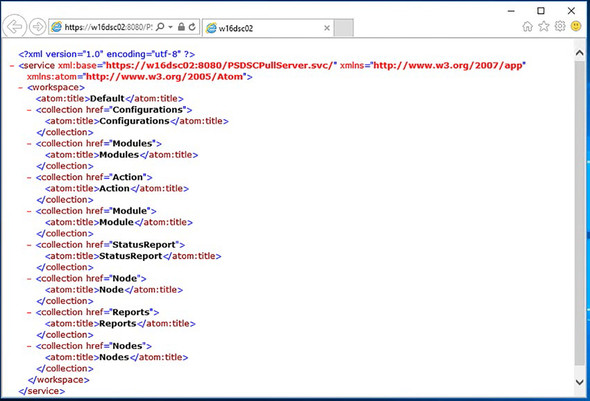
Communications happen over HTTP(S), because the pull server is just a web server.
Listing 41.8 shows how to configure a machine to use the pull server.
Listing 41.8. Configuring your DSC client to use the pull server
configuration SetPullMode { Node MEMBER2 { LocalConfigurationManager { ConfigurationMode = 'ApplyOnly' ConfigurationID = 'e528dee8-6f0b-4885-98a1-1ee4d8e86d82' RefreshMode = 'Pull' DownloadManagerName = 'WebDownloadManager' DownloadManagerCustomData = @{ ServerUrl = 'http://pull1.lab.pri:8080/PSDSCPullServer.svc'; AllowUnsecureConnection = 'true' } RefreshFrequencyMins = 15 } } } SetPullMode Set-DSCLocalConfigurationManager -Computer MEMBER2 -Path ./SetPullMode -Verbose