concept Windows Server in category powershell
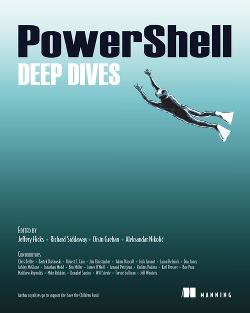
This is an excerpt from Manning's book PowerShell Deep Dives.
Windows Server 2012 owns more than 1700 performance counters that belong to more than 110 categories (called the list set).
Beginning with Windows Vista and Windows Server 2008 the event logs were redesigned in an XML-based log format, and newer operating systems such as Windows Server 2012 can contain over 200 different event logs, depending on what roles have been enabled. Each of these event logs is an individual file located in the %SystemRoot%\System32\Winevt\Logs folder by default. Event Viewer is the graphical user interface tool that most administrators are familiar with when it comes to event logs, but with an overwhelming amount of data being contained in so many individual logs on each of their servers, administrators have to learn more efficient ways to retrieve the specific information they’re looking for.
Get-FailedUpdateInstallation

InstallationState : Failed
TargetGroup       : Windows 2003
Computer          : DC1
ApprovalAction    : Install
Update            : Security Update for Windows Server 2003 (KB2731847)
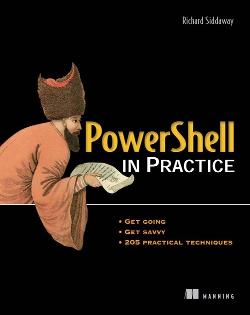
This is an excerpt from Manning's book PowerShell in Practice.
Microsoft seems to be always talking about PowerShell. Listen to a talk about Exchange Server 2007 or 2010, Windows Server 2008 R2 (release 2), or even SQL Server 2008, and PowerShell will be mentioned. PowerShell gets its own section on the Microsoft scripting center and there is a stack of books on the subject. So what’s PowerShell and why are so many people excited about it? This chapter introduces PowerShell and answers some of those basic questions. It is formally known as Microsoft Windows PowerShell but that is too much of a mouthful so we will refer to it as PowerShell from now on. In this chapter you’ll discover:
The AD and GPO cmdlets that ship with Windows Server 2008 R2. These cmdlets are supplied as modules—ActiveDirectory and GroupPolicy respectively. They’re loaded using Import-Module. The AD cmdlets work against a web service on the domain controller rather than a direct ADSI call. The web service is available for download to install on Windows Server 2008 and Windows Server 2003 domain controllers. It’ll be necessary to have a Windows 7 or Windows Server 2008 R2 machine in the domain to host the cmdlets.
Windows Server 2008 R2 introduces a set of cmdlets from Microsoft for working with Group Policy. They’re available as a module so need to be loaded:
Import-Module GroupPolicy
Get-Command -Module GroupPolicy