concept name in category pyspark
appears as: name, name, names, names

This is an excerpt from Manning's book Data Analysis with Python and PySpark.
What’s in a name? Actually, quite a lot. Just by separating PySpark in two, one can already deduce that this will be related to Spark and Python. And it would be right!
Figure 2.3. A high-level schema of a our
bookdata frame, containing avaluestring column. We can see the name of the column, its type, and a small snippet of the data.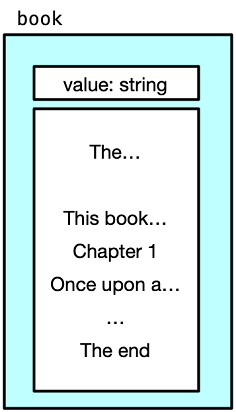
Listing 2.14. Renaming a column via
aliason the column andwithColumnRenamedon the DataFrame# This looks a lot cleaner lines = book.select(split(book.value, " ").alias("line")) # This is messier, and you have to remember the name PySpark assigns automatically lines = book.select(split(book.value, " ")) lines = lines.withColumnRenamed("split(value, )", "line")
If you’re creating a column
withColumn()and give it a name that already exists in your data frame, PySpark will happily overwrite the column. This is often very useful to keep the number of columns manageable, but make sure you are seeking this effect!