concept variable in category python

This is an excerpt from Manning's book Deep Learning with Python, Second Edition.
The API through which you can leverage TensorFlow’s powerful automatic differentiation capabilities is the
GradientTape. It’s a Python scope that will “record” the tensor operations that run inside it, in the form of a computation graph (sometimes called a “tape”). This graph can then be used to retrieve the gradient of any output with respect to any variable or set of variables (instances of thetf.Variableclass). Atf.Variableis a specific kind of tensor mean to hold mutable state — for instance, the weights of a neural network are alwaystf.Variableinstances.
Tensors, including special tensors that store the network’s state (variables)
To train a model, we’ll need to update its state, which is a set of tensors. If tensors aren’t assignable, how do we do it, then? That’s where variables come in.
tf.Variableis the class meant to manage modifiable state in TensorFlow. You’ve already briefly seen it in action in the training loop implementation at the end of chapter 2.To create a variable, you need to provide some initial value, such as a random tensor:
Listing 3.5. Creating a Variable
>>> v = tf.Variable(initial_value=tf.random.normal(shape=(3, 1)))
>>> print(v)
array([[-0.75133973],
       [-0.4872893 ],
       [ 1.6626885 ]], dtype=float32)>
The state of a variable can be modified via its
assignmethod:
This is an excerpt from Manning's book Tiny Python Projects: Learn coding and testing with puzzles and games.
This book will teach you how to write Python programs that run on the command line. If you have never used the command line before, don’t worry! You can use programs like PyCharm (see figure 0.1) or Microsoft’s VS Code to help you write and run these programs. If you are completely new to programming or to the Python language, I will try to cover everything I think you’ll need to know, although you might find it useful to read another book first if you’ve never heard of things like variables and functions.
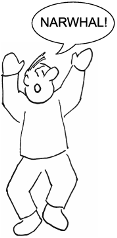

Another method for combining strings uses the special “f-string” where you can put the variables directly into the curly brackets
{}. It’s a matter of taste which approach you choose; I tend to prefer this style because I don’t have to think about which variable goes with which set of brackets:>>> f'Ahoy, Captain, {article} {word} off the larboard bow!' 'Ahoy, Captain, an octopus off the larboard bow!'
This is an excerpt from Manning's book Hello World! Third Edition.
Variables are the same. You don’t need to know exactly where in memory the information is stored. You just need to use the same name as when you stored it.

You can create variables for other things besides letters. You can name numeric values. Remember our example from before?
>>> 5 + 3
8
Let’s try that one with variables:
This is an excerpt from Manning's book Get Programming: Learn to code with Python.
Variables a and b are equal
After you initialize a variable, you can refer to a particular object by using its variable name. In Spyder, type the following lines in the console to initialize three variables:
a = 1
b = 2
c = a + b
You can use the variable explorer to see the names of variables, their type, and size (you’ll see what this means in following lessons), and their value. Figure 4.3 shows how your screen should look.
Figure 4.3. How to create variables in the console. The variable explorer shows you what variables you have set up and initialized in this session.

You should see that the variable explorer is populated with the variables you create and their values. If you type in the name of a variable in the console and hit Enter, this allows you to peek into its value. The variable explorer also tells you an additional bit of information in the second column: the type of the variable. The next section goes into more detail on what this means.
That a variable is a name that is bound to an object

This is an excerpt from Manning's book Hello App Inventor!: Android programming for kids and the rest of us.
Block drawer
Blocks you’ll find in there
Explanation and example
Control Decision blocks that tell the program what to do next based on some kind of test Loops, which are a powerful way of repeating tasks Decision: If you clicked the Happy button, the phone sends a tweet. If you clicked Sad, it sends a
tweet. Loop: When you text a group of contacts, the phone executes a loop from the first contact to the last, sending a single text each time. Doing this manually would be tedious!
Logic The logic values True and False Logical tests: AND, OR, NOT, = True and False can set properties. For example, setting a button’s Visible property to False makes the button disappear. Logical tests are used for more complicated Decision blocks. For example, you might want to make sure the user’s age is more than 8 AND less than 12. Math Blocks that create and compare numbers, plus all the functions you would find on a calculator For example, in a game you could use Math blocks to add up the number of coins collected and convert this to a score. You could also use Math blocks to work out whether this score was greater than the current high score. Text Blocks that create, change, add, join, split, replace, and compare text Any piece of text you want to display is created in a Text block. For example, you could join the name a user typed and a text message—something like, “Hello Amy, how are you today?” Lists Blocks that store, display, and work with lists of things For example you might want to give the user a menu of choices that they can click. Colors A choice of standard colors to use[a] You can set or change the color of anything you see on screen, like text, a button, or the background. Variables Blocks to create variables A variable is a named storage space for a small piece of data like your name or age or a game score. Procedures Blocks to create and run procedures A procedure is a kind of mini program that other blocks can start. For example, you might have a procedure that resets the screen whenever a game is over.
Sometimes you only need to store information while the app is running (like a game score), so you use a variable stored in the phone’s working memory (see the next Learning Point about RAM). Variables are temporary—if you restart the app or switch off the phone, you’ll be starting with no memory of what happened before. Sometimes you want the app to remember information even after the phone is switched off, like a list of contacts or high scores—this is called persistence. To make data persistent, you can save the variables to a storage device and then load them back into the phone’s working memory the next time the app runs (see chapter 11 for how to do this using the TinyDB database). Your phone is likely to have two places to store data permanently: internal storage (the phone’s built-in memory that can’t be removed) and a memory card.

This is an excerpt from Manning's book Hello! Python.
Some editors are also integrated development environments (IDEs). IDEs provide extra services above and beyond text editing, to save you time when programming. Typically, they will give you access to a Python interpreter, some sort of auto-completion, and more advanced code navigation (for example, jumping directly to the source of an error in your program), as well as interactive debugging tools so that you can run your code step by step and look at variables while your program is running. There’s also a list of Python IDEs on the Python wiki at http://wiki.python.org/moin/IntegratedDevelopmentEnvironments. Some IDEs that you might want to consider include the following:
Python also needs some way to know what’s happening. In the Hunt the Wumpus game, for example, Python needs to be able to tell which cave the wumpus is hiding in, so it will know when the player has found the wumpus. In programming, we call this memory data, and it’s stored using a type of object called a variable. Variables have names so they can be referred to later in the program.

To tell Python to set a variable, you choose a name for the variable and then use the equals sign to tell Python what the variable should be. Variables can be letters, numbers, words, or sentences, as well as some other things that we’ll cover later. Here’s how to set a variable:
variable = 42
x = 123.2
abc_123 = "A string!"
In practice, your program can get quite complex, so it helps if you choose a name that tells you what the variable means or how it’s supposed to be used. In the Hunt the Wumpus program, you’ll use variable names like this: