concept test exchange in category rabbitmq

This is an excerpt from Manning's book RabbitMQ in Depth.
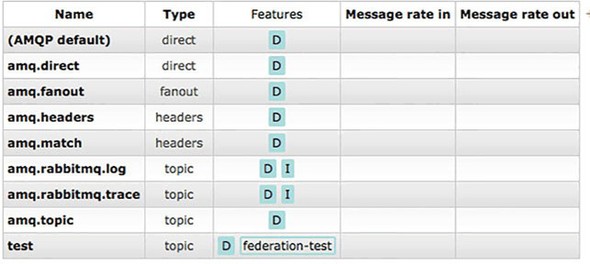
With the policy added, you’ll need to add the test exchange to both nodes. You can use the Exchanges tab of each management interface to add the exchange. To prevent the cluster-b node from trying to federate a non-existent exchange on the cluster-a node, declare the exchange on the cluster-a node first. You can use any of the built-in exchange types, but I recommend using a topic exchange for flexibility in experimenting. Whichever type you select, you should be consistent and use the same exchange type for the test exchange on both cluster-a and cluster-b.
Once you’ve added the exchange to both nodes, you’ll notice in the Exchanges tab of the management interface on the cluster-b node that the test exchange has a label matching the federation policy in the Features column (figure 8.18). The label indicates that you successfully matched the policy to the exchange.