concept system in category ravendb

This is an excerpt from Manning's book RavenDB in Action.
Any system that’s spread across more than one machine—also known as a distributed system—is going to experience network issues or have nodes failing every now and then. A mathematically proven theorem called the CAP theorem states that in those scenarios where partition tolerance is desired, only one of consistency or availability can be guaranteed across the system. In other words, if you want your system to be able to operate when nodes go down (and that’s bound to happen at some point), you get to choose whether you want the data in your nodes to be consistent across all nodes all the time or to guarantee availability so no request is ever left hanging. It’s been mathematically proven that you can’t have it both ways.
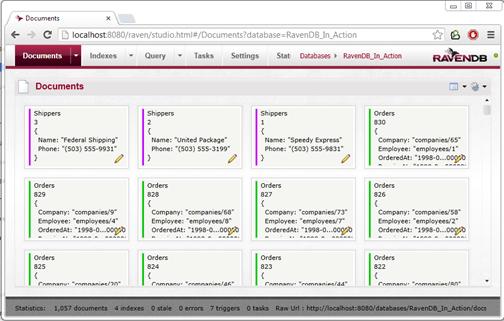
Figure 1.8 The Documents tab in RavenDB’s Management Studio, showing all documents in the system
Our model is quite simple, a Book class with some properties and an array of CustomerReview objects. Each book is going to be stored as one document, along with all the reviews written for it. This has both advantages and disadvantages that we’ll get to in Chapter 5, but for now it is easier to think of a Book in the system as one document containing everything there is to know about that book.
As we’ve seen in chapter 1, querying RavenDB is easy and only requires writing a Linq expression using the session.Query<T>() method. A call to the Query<Book>() method without narrowing it down at all will just ask RavenDB for all the Book documents in the system. RavenDB, in turn, will send the first 128 documents and not the potentially huge result set, as part of it being “Safe by Default”.
Let’s add an Action method to our BooksController class to show all the books in the system:
using System.Linq; using System.Web.Mvc; using Chapter02Bookstore.Models; using Raven.Client; namespace Chapter02Bookstore.Controllers { public class BooksController : RavenController #0 { public ActionResult ListAll() { var books = RavenSession.Query<Book>().ToList(); #A #B #C return View("List", books); #D } } } #0 – By inheriting from RavenController we gain access to the RavenSession object, which is now initialized and ready for us to work with #A – Starts to construct a query #B – Asks for documents of the Books collection #C – Executes the query #D – Passes the resulting List<Book> to the View for rendering the page to the userNow that we have means to inspect our books catalog, we can go ahead and add new books to the system. We will be working with more queries in the next section.