concept app in category react native

This is an excerpt from Manning's book React Native in Action.
React Native also has something called hot reloading built in. What does this mean? Well, while developing an application, imagine having to click a few times into your app to get to the place you’re developing. While using hot reloading, when you make a code change, you don’t have to reload and click back through the app to get to the current state. Using this feature, you save the file, and the application reloads only the component you’ve changed, instantly giving you feedback and updating the current state of the UI.
React Native ships with many components that are ready to use in your apps. Some of these components work cross-platform: that is, they work regardless of whether you’re running an app on iOS or Android. Other components are platform-specific: for example,
ActionSheetIOSonly runs on iOS, andToolbarAndroidonly runs on the Android platform (cross-platform components were covered in Chapters 10 and 11).
Figure 12.2 The initial view of the app
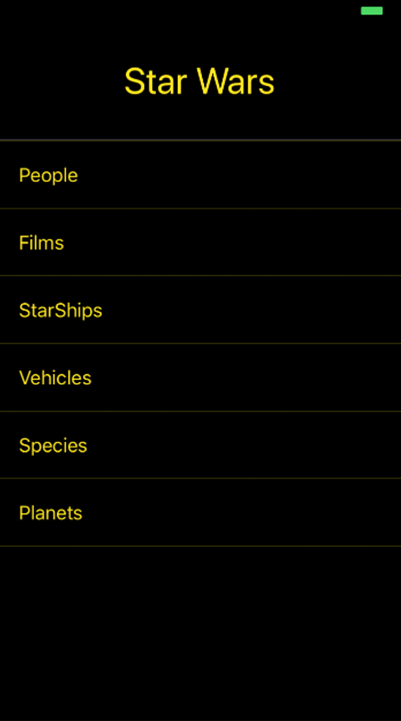
Next, you need to import the two views you’ll use in this app. Take another look at the first screen in figure 12.2. As you can see, there are links for People, Films, and so on. When the user clicks People, the app should navigate to a component that lists the people (main characters) in the Star Wars films. To do this, you’ll create a
Peoplecomponent in section 12.2—you’ll import the component now and create it later. Below the lastimportin listing 12.1, import the yet-to-be-createdPeoplecomponent:import People from './People'Because the design uses a black color background and you don’t want to repeat styling code across components, let’s create a
Containercomponent that you’ll use as a wrapper for your views. ThisContainercomponent will be strictly used for styling. In the root of the app, create a new file called Container.js, and enter the following code.