concept segmentedcontrolios in category react native
appears as: SegmentedControlIOS

This is an excerpt from Manning's book React Native in Action.
Figure 10.5 Basic
SegmentedControlIOSimplementation with two values (one and two)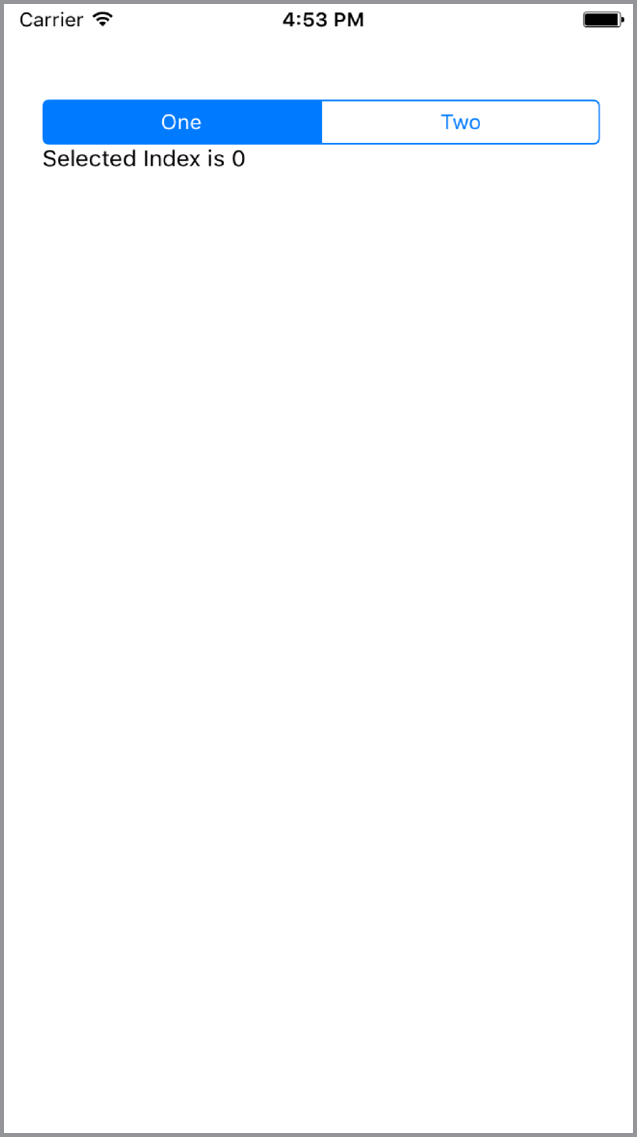
SegmentedControlIOSallows you to access the native iOSUISegmentedControlcomponent. It’s a horizontal tab bar made up of individual buttons, as shown in figure 10.5.
SegmentedControlIOShas the methods and props in table 10.4. At a minimum, it takes an array of values to render the control values, aselectedIndexas the index of the control selected, and anonChangemethod that will be called when a control is pressed.Table 10.4
SegmentedControlIOSmethods and props
Prop Type Description enabledBoolean If false, the user can’t interact with the control. Default value istrue.momentaryBoolean If true, selecting a segment won’t persist visually.onValueChangewill still work as expected.onChangeFunction (event) Callback called when the user taps a segment; passes the event as an argument. onValueChangeFunction (value) Callback called when the user taps a segment; passes the segment’s value as an argument. selectedIndexNumber Index in props.valuesof the segment to be (pre)selected.tintColorString (color) Accent color of the control. valuesArray of strings Labels for the control’s segment buttons, in order.
In this example, you’ll render an array of three items as a
SegmentedControlIOS. You’ll also show a value in the UI based on which item is selected.Listing 10.11
SegmentedControlIOSrendering three valuesimport React, { Component } from 'react' import { Text, View, SegmentedControlIOS } from 'react-native' #1 const values = ['One', 'Two', 'Three'] #2 class App extends Component { constructor() { super() this.state = { selectedIndex: 0, #3 } } render() { const { selectedIndex } = this.state let selectedItem = values[selectedIndex] #4 return ( <View style={{ marginTop: 40, padding: 20 }}> <SegmentedControlIOS #5 values={values} #5 selectedIndex={this.state.selectedIndex} #5 onChange={(event) => { #5 this.setState({selectedIndex: event.nativeEvent.selectedSegmentIndex}); #5 }} /> <Text>{selectedItem}</Text> #6 </View>) } } #1 Imports SegmentedControlIOS from React Native #2 Creates an array of values to use in the SegmentedControlIOS #3 Creates a state value of selectedIndex set to 0 #4 Creates a variable called selectedItem, set to the value of the selectedIndex of the values array #5 Renders the SegmentedControlIOS component, passing in the values array as the values prop, this.state.selectedIndex as the selectedIndex, and an onChange method that updates the selectedIndex state value with the index of the pressed item #6 Renders the value of selectedItem in the UI