concept web server in category react

This is an excerpt from Manning's book React Quickly: Painless web apps with React, JSX, Redux, and GraphQL.
It’s better to use a local web server instead of opening an index.html file in the browser directly, because with a web server, your JavaScript apps will be able to make AJAX/XHR requests. You can tell whether it’s a server or a file by looking at the URL in the address bar. If the address starts with file, then it’s a file; and if the address starts with http, then it’s a server. You’ll need this feature for future projects. Typically, a local HTTP web server listens to incoming requests on 127.0.0.1 or localhost.
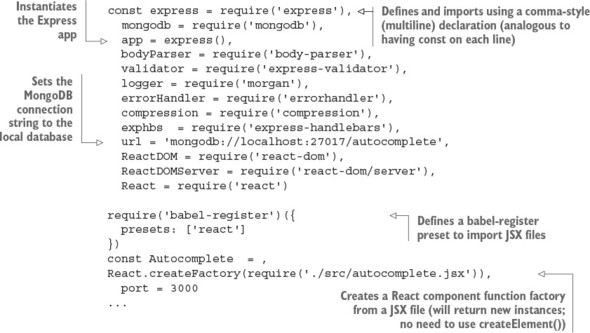
Express to act as a web server, and MongoDB accessed using the native MongoDB Node.js driver to hold the autocomplete options
In this project, rather than a host HTML file, you need to write a simple web server to receive requests based on what the reader has typed so far and respond with a list of suggestions. It will also render the control on the server side and send the respective HTML to the client. As noted earlier, the example uses Express as the web server. The index.js file defines the web server and has three sections: