concept Capybara in category ruby

This is an excerpt from Manning's book Rails 4 in Action: Revised Edition of Rails 3 in Action.
Cucumber was used in earlier editions of this book, but the community has drifted away from using it, as there are other tools (like Capybara, mentioned later) that provide a very similar way to test, but in a much neater, pure-Ruby syntax.
To start with, there are two fields with the label “Password” on the page: Password and Password Confirmation. Capybara has a setting called exact, which will specify what to do in this situation—by default, exact defaults to a value of :smart, which means it looks for an exact string match first, and uses that field if it exists. This will work for now, as you have a field specifically labeled “Password.”
But later on, you’ll be tweaking and customizing views to fit the theme on your site, which will unfortunately change the label so it’s no longer an exact match. Simple Form prefixes required fields with an asterisk (*) to indicate that status to the user, and this will unfortunately confuse Capybara.

This is an excerpt from Manning's book Rails 3 in Action.
First, Cucumber interprets this step on the basis of the definition from within this file. The visit method inside this definition comes from Capybara and emulates going to a specific path in a virtual browser. The path_to method is also defined, but it’s in the features/support/paths.rb file inside the NavigationHelpers module, again provided by Cucumber:
module NavigationHelpers
...
  def path_to(page_name)
    case page_name

    when /the home\s?page/
      '/'
 ...
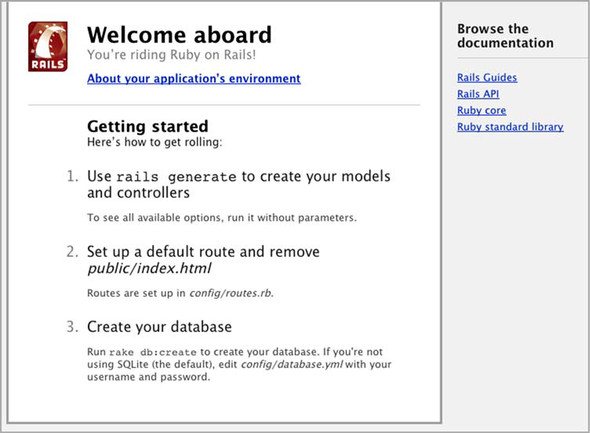
Therefore, the path that Capybara will visit is /. If you start the server for the application by running rails server (or rails s) and navigate to http://localhost:3000 in your browser, you’ll see the famous Welcome Aboard page from Rails (the same one you saw when you generated your first application in chapter 1), shown in figure 3.4.
This is the page Capybara sees, and the reason the first step passes is that Capybara can go to the homepage successfully. This Welcome Aboard page lives at public/index.html in your application. To proceed, delete this file using this command:
Before you can get down to writing any tests, you’re going to need to set up the environment to do that. For a change, you’re not going to be writing tests for your engine using Cucumber. Instead, you’re going to be using RSpec and Capybara. It’s always good to get a different perspective on testing, as not everyone agrees on the One True WayTM of doing things. The syntax for this RSpec and Capybara is still easy going, however, as shown by this example:
Directly before the end of the Gem::Specification.new block, you’ll put these two lines to declare that RSpec and Capybara are development dependencies of your application:
The capybara/rails sets up Capybara to be used for your dummy application (which loads your engine), while the capybara/dsl gives you all the helpful Capybara methods that you’re going to need in your tests.
The final chunk of code here includes the Capybara module within all tests that are within the spec/integration directory. This should provide a pretty big clue as to where your integration tests are going for your engine!
That’s all that you’ve got to do for setting up Capybara and RSpec. Let’s make a commit for this:
git add .
git commit -m "Remove Test::Unit, replace with RSpec + Capybara"