concept update in category ruby

This is an excerpt from Manning's book Rails 4 in Action: Revised Edition of Rails 3 in Action.
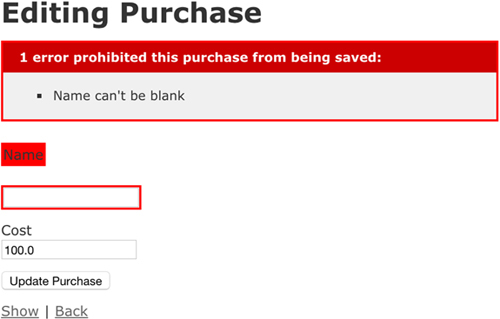
Oops: it’s not here! The code to find the @purchase object is identical to what you saw earlier in the show action: it’s set in before_action, which runs before the show, edit, update, and destroy actions.
As the following listing shows, you can now define update under the edit action in your controller.
Listing 4.11. app/controllers/projects_controller.rb
def update @project = Project.find(params[:id]) @project.update(project_params) flash[:notice] = "Project has been updated." redirect_to @project endNotice the new method on @project here: update. It takes a hash of attributes identical to the ones passed to new or create, updates those specified attributes on the object, and then saves them to the database if they’re valid. This method, like save, returns true if the update is valid or false if it isn’t.
Now that you’ve implemented the update action, let’s see how the test is going by running bundle exec rspec spec/features/editing_projects_spec.rb:

This is an excerpt from Manning's book Rails 3 in Action.
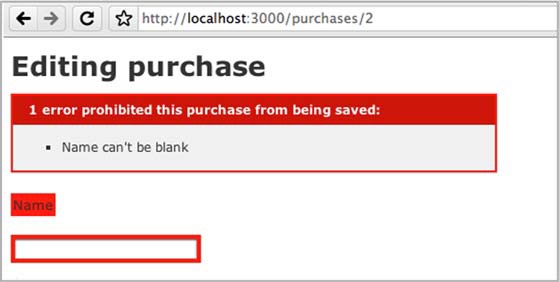
The input tag passes through the _method parameter with the value set to "put". Rails catches this parameter and turns the request from a POST into a PUT. This is the second (of three) ways the /purchases/{id} responds according to the method. By making a PUT request to this route, you’re taken to the update action in PurchasesController. Let’s take a look at this in the following listing.
Listing 8.9. Update tests for spec/controllers/tickets_controller_spec.rb
it "cannot edit a ticket without permission" do get :edit, { :project_id => project.id, :id => ticket.id } cannot_update_tickets! end it "cannot update a ticket without permission" do put :update, { :project_id => project.id, :id => ticket.id, :ticket => {} } cannot_update_tickets! end
In this chapter, you’ll begin to send emails to your users. When a user signs up to Ticketee, they use their email address as a way for the system to uniquely identify them. You then verify that the address is valid by sending the user a confirmation email. With a user’s validated email address, you’re able to send them updates for important events in the system, such as a ticket being updated.