concept variable in category ruby
appears as: variable, variables, variables, The variable, The variables, A variable, variable
This is an excerpt from Manning's book The Well-Grounded Rubyist, Third Edition.
Table 1.1. Basic operations in Ruby (view table figure)
Operation
Example(s)
Comments
Arithmetic 2 + 3 (addition) 2 – 3 (subtraction) 2 * 3 (multiplication) 2 / 3 (division) 2 / 3.0 (division, floating-point result) All these operations work on integers or floating-point numbers (floats). Mixing integers and floats together, as some of the examples do, produces a floating-point result. 10.3 + 20.25
103 - 202.5
32.9 * 10
100.0/0.23Note that you need to write 0.23 rather than .23. Assignment x = 1
string="Hello"This operation binds a local variable (on the left) to an object (on the right). For now, you can think of an object as a value represented by the variable. Compare two values x == y Note the two equal signs (not just one, as in assignment). Convert a numeric string to a number x = "100".to_i
s = "100"
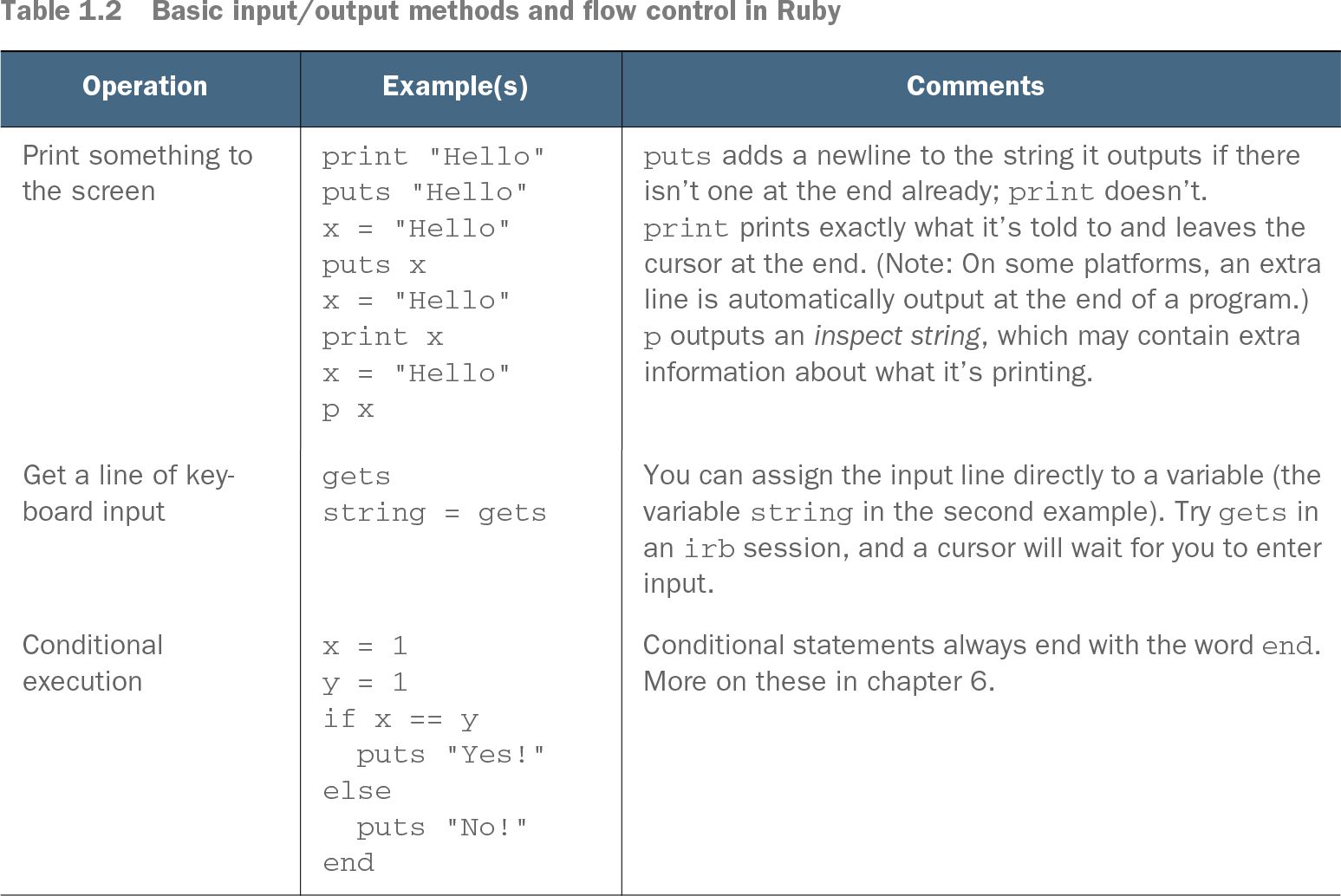
x = s.to_iTo perform arithmetic, you have to make sure you have numbers rather than strings of characters. to_i performs string-to-integer conversion. Table 1.2. Basic input/output methods and flow control in Ruby (view table figure)
Operation
Example(s)
Comments
Print something to the screen print "Hello"
puts "Hello"
x = "Hello"
puts x
x = "Hello"
print x
x = "Hello"
p xputs adds a newline to the string it outputs if there isn’t one at the end already; print doesn’t. print prints exactly what it’s told to and leaves the cursor at the end. (Note: On some platforms, an extra line is automatically output at the end of a program.) p outputs an inspect string, which may contain extra information about what it’s printing. Get a line of keyboard input gets
string = getsYou can assign the input line directly to a variable (the variable string in the second example). Try gets in an irb session, and a cursor will wait for you to enter input. Conditional execution x = 1
y = 1
if x == y
puts "Yes!"
else
puts "No!"
endConditional statements always end with the word end. More on these in chapter 6.

def default_args(a,b,c=1)
  puts "Values of variables: ",a,b,c
end
We’ll turn next to the matter of runtime reflection on variables and constants.