concept embed array in category sails

This is an excerpt from Manning's book Sails.js in Action.
 that will hold the embedded array of tutorial dictionaries as JSON and an owner attribute
 that will hold the embedded username dictionary as JSON.
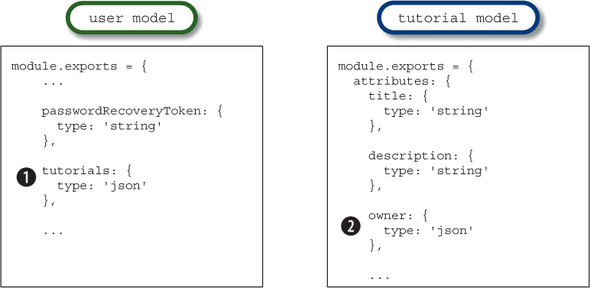
In chapter 12, we pointed out that although issues exist when embedding records to create relationships between models, there are situations where embedding a value or group of values would be advantageous in a model. In fact, embedded values or groups of values work as long as the embedded value doesn’t need to be queried outside the context of the model where it’s embedded. Managing the sort order of videos in tutorial records is a good example of using an embedded array in a model. First, you added a videoOrder attribute as JSON to the video model similar to the following listing.
Example 13.16. Configuring the videoOrder attribute in the model
...
 videoOrder: {
   type: 'json'
 },
...
You want to be able to add videos to a tutorial and then reorder the videos up and down. The createTutorial, addVideo, tutorialDetail, reorderVideoUp, and reorder-VideoDown endpoints are affected by managing the video sort order. You’ll use the embedded array to cache the sort order of video ids. The sorting process will include the tasks in table 13.1.
Table 13.1. Tasks related to the video order
Action
Task
createTutorial When a tutorial is created, set the videoOrder property to an empty array. addVideo When a video is created, push the video id to the videoOrder embedded array. tutorialDetail When the tutorials-detail page is rendered, use the videoOrder embedded array to sort the videos. reorderVideoUp When the up arrow is clicked, move the video id up one element in the array. reorderVideoDown When the down arrow is clicked, move the video id down one element in the array.