concept record in category sails

This is an excerpt from Manning's book Sails.js in Action.
Earlier we briefly mentioned blueprint actions: find, create, update, and destroy. These built-in actions are provided by Sails, but, internally, they use functions we call model methods to fetch and manipulate records in a database. These are the same methods you’ll call in your custom controller actions later in the book. Table 1.3 displays the most commonly used model methods provided by Sails.
Table 1.3. Common model methods
Shortcut blueprint routes allow you to interact directly with the underlying database via the browser’s URL bar. Why would you want to do that? Exploring the contents of one or more databases as you develop an API usually requires switching between different database viewers. Having a quick way to access information from a browser across multiple databases can greatly improve the speed of your workflow. When you generated the JSON CRUD API for the video resource, five shortcut blueprint routes were also exposed and made available. These routes, which correspond to common CRUD operations, enable you to find, create, update, and delete/destroy records from the browser. A list of the shortcut blueprint routes is shown in table 4.2.
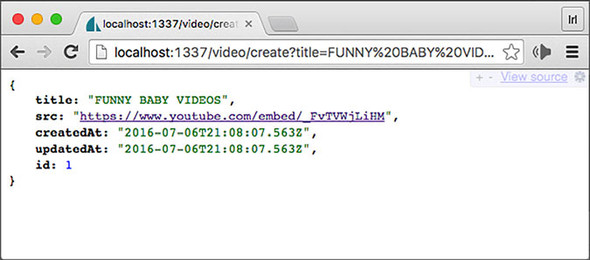
Your current task is perfectly suited to shortcut blueprint routes. Recall from chapter 3 that the videos array contained three records with two attributes: the title of the YouTube video and the src URL of the video. You want to start development with some initial YouTube video records in the video model. Shortcut blueprint routes make it easy to re-create the catchy yet annoying “GANGNAM STYLE” YouTube video as a record in the video model. Make sure Sails is running via sails lift and navigate your browser to http://localhost:1337/video/create?title=FUNNY BABY VIDEOS &src=https://www.youtube.com/embed/_FvTVWjLiHM. Your browser should display a video record similar to figure 4.4.