concept Sublime in category sails

This is an excerpt from Manning's book Sails.js in Action.
You can see the module as a dependency by reopening the firstApp/package.json file in Sublime, similar to the following listing.
If you followed along in chapter 12 with an existing project, you can continue to use that project in this chapter. If, however, you want to start from this chapter and move forward, clone the following repo: https://github.com/sailsinaction/brushfire-ch12-end. After cloning the repo, install the Node module dependencies via npm install. You’ll also want to add the local.js file you created in chapter 11. In Sublime, create a new file in brushfire/config/local.js, and add the following code.
You need to add the necessary code to calculate the average ratings for a found tutorial. In Sublime, open brushfire/api/controllers/PageController.js, and add the following changes to the tutorialDetail action.
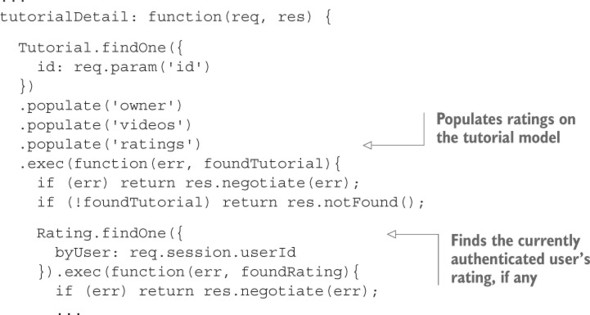
You now have all the ratings for the tutorial that you’ll use to calculate the average-Rating. You also have a rating, if any, for the currently authenticated user. You need to check whether the current tutorial being rated has been rated before by this authenticated user-agent. If it has, you’ll pass it to the view as myRating through locals. In Sublime, continue adding the following code to the tutorialDetail action.
Let’s implement the rate-tutorial request defined in the API Reference as “Create or update rating for a tutorial using the session of the user-agent and respond with the average rating for the tutorial.” The rate-tutorial endpoint has two incoming parameters: the tutorial id and the number of stars provided for the tutorial rating. You’ll use both parameters to fulfill the requirements of the endpoint. In Sublime, open brushfire/api/controllers/TutorialController.js, and add the following code to the rateTutorial action.
You’ve now repeated the calculation of the average rating code in three different places. Let’s refactor the averaging code to a service that can be executed from multiple places. In Sublime, create a new file at brushfire/api/services/MathService.js, and add the following code.
Example 13.7. The MathService
module.exports = {

  calculateAverage: function (options) {

    var sumTutorialRatings = 0;

    _.each(options.ratings, function(rating){
      sumTutorialRatings = sumTutorialRatings + rating.stars;
    });

    var averageRating = sumTutorialRatings / options.ratings.length;

    return averageRating;
  }
};
Refactoring the rateTutorial action code to execute the service is simple. In Sublime, open brushfire/api/controllers/TutorialController.js, and replace the code that does the averaging (in two places) with the service in the rateTutorial action, similar to the next listing.