concept this script in category scratch

This is an excerpt from Manning's book Hello Scratch!: Learn to program by making arcade games.
This script in figure 3.3 is simple, but illustrates the idea that all scripts need a starting point. It begins with a When Flag Clicked block. That tells Scratch that you want the program to start when the green flag above the Stage is clicked. The next block (Move 100 Steps) tells Scratch what you want to have happen after the green flag is clicked: you want the sprite you programmed to move 100 spaces to the right. It will move the cat every time the green flag is clicked.
Figure 13.27. This script troubleshoots a potential problem of having kindergarteners continue to move even when Ms. Finebean is up against the desk.
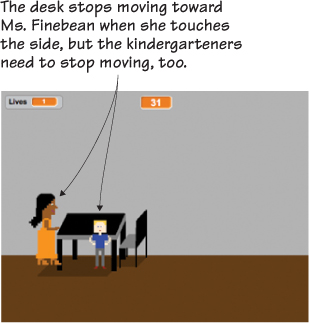
This script tells the kindergarteners to stop moving if Ms. Finebean is touching the side of the desk:
Start with a When I Receive Message1 (Events) block. Name this message Move Back using the New Message options from the drop-down menu. This script only runs if it receives the Move Back message that you’ll broadcast when you write your desk scripts.
This script is similar to the one you used for the kindergarteners, and it will move the clock as well as tell Scratch what should happen when the clock reaches the edge of the Stage or if the teacher touches the clock: