concept dependency property in category sharePoint

This is an excerpt from Manning's book SharePoint 2010 Workflows in Action.
You should consider two types of properties: standard .NET properties, and the dependency properties. Standard .NET properties work nicely if you merely want to make a property available in the property pane (figure 11.1) so that the person building the workflow can specify a value at design time. Dependency properties come into play if the value isn’t known until runtime. For instance, you may want to have the output of one activity pass a value into the input of another activity. That value won’t be known to the receiving activity until runtime. In this case, dependency properties are needed.
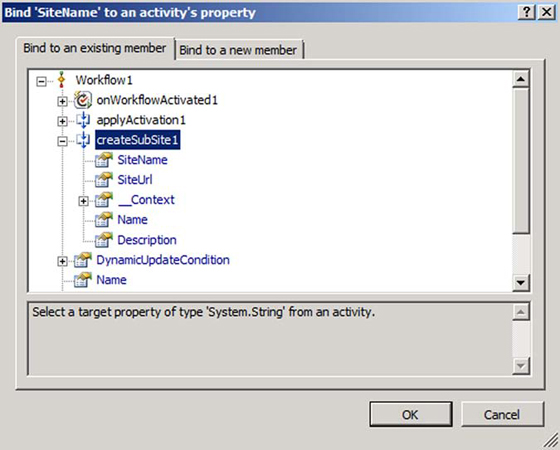
Figure 11.2 shows how dependency properties show up underneath the activity in the property binding dialog. You can then bind the property of one activity to a property of another.
Figure 11.2. Dependency properties are needed when you won’t know the value until runtime. For example, you want to set the value of a property to the value of a property in a separate activity. Only dependency properties show up in the bind dialog under the corresponding activity.
Dependency properties store their values in a hash controlled by the workflow runtime rather than local variables, as with most .NET property values. Because a .NET property could be bound to any variable anywhere, this dependency makes them less reusable. Dependency properties, on the other hand, are not dependent because they always reference the same hash. Dependency properties are more often than not the better type to use, and all the properties you build in this section will be dependency properties.