concept functionality in category sharePoint
This is an excerpt from Manning's book SharePoint 2010 Site Owner's Manual: Flexible Collaboration without Programming.

SharePoint is broken into six major categories of functionality that I’ll refer to as capabilities. These capabilities are broken out in table 2.2. The following letters indicate the amount of functionality associated with each capability available with that corresponding edition:
F = Full level of functionality. P = Partial level of functionality. IP = Increased Partial indicates more functionality than P but still not the full amount of functionality associated with that capability.
In the last chapter we discussed functionality that you can use to create business intelligence sites. This chapter begins our section on composite sites and shows how you can build powerful applications using SharePoint Designer. The scenario that you’re going to implement, following a step-by-step process, is automating the review process for tracking employees and their certification status. To begin, we’ll discuss the scenario you’ve been given and how you’ll create the solution utilizing SharePoint. Throughout this chapter I’ll be referencing SharePoint Designer by its commonly used acronym, SPD.

This is an excerpt from Manning's book SharePoint 2010 Web Parts in Action.
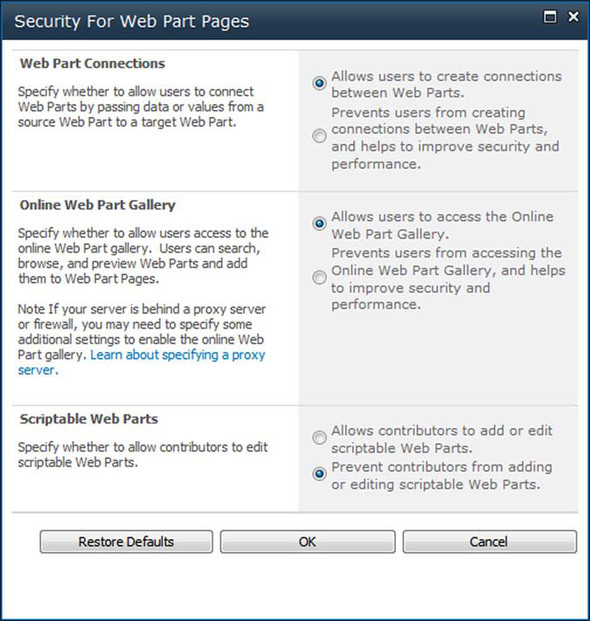
Web Parts are a fundamental component of SharePoint and have been since the beginning of the SharePoint era. Web Parts can be small or standalone applications that you deploy into your SharePoint installation. With Web Parts, you can extend the functionality of your SharePoint investment and create new applications or even integrate with your existing applications to create a gateway from your SharePoint portal. Most of Microsoft’s products, such as Microsoft Dynamics AX and SQL Server Reporting Services, also integrate with SharePoint using Web Parts.
You can use the designer to give the Feature a title and description that will be shown to web interface users. The Feature designer also contains functionality for changing the scope of your Feature. A Web Part project must always have the scope set to Site, which means that it’s deployed to a site collection because the Web Part Gallery exists at the site collection level. Using the Feature designer, you can also add SharePoint items to or remove them from the Feature. You’d do this, for example, if you have multiple Features in your solution and you’d like to have different Web Parts in the different solutions. For now, though, let’s leave our Feature as is. When you’ve changed the title and description, save and close the Feature designer.