concept PowerShell in category sharePoint
appears as: PowerShell,
PowerShell

This is an excerpt from Manning's book SharePoint 2010 Web Parts in Action.
PowerShell is the way to go with SharePoint 2010. Learning PowerShell is crucial whether you’re an administrator or a developer. It can accomplish more tasks in more advanced ways than STSADM. When SharePoint 2010 is installed, it also installs a PowerShell snap-in for SharePoint. To use PowerShell for administering SharePoint, you can start either the SharePoint 2010 Management Shell or start PowerShell as normal and load the snap-in manually like this:
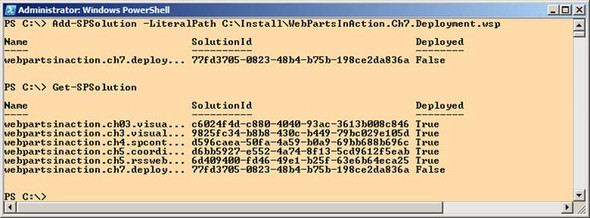
Figure 7.4. PowerShell is the tool to use when you administer SharePoint. It can be used to view already installed solutions and deploy new ones.
PowerShell built-in help