concept satellite assembly in category sharePoint

This is an excerpt from Manning's book SharePoint 2010 Web Parts in Action.
A common method for localization is to use satellite assemblies containing the resources. Satellite assemblies are culture-specific assemblies that contain the resources of only one culture. These assemblies are registered together with the main assembly for the solution, and the resources are available through automatically generated classes. Using satellite assemblies isn’t easy, and you must do some configuration. Another downside is that you can only access the resources from within your Web Part code and you can’t reuse the resources in manifests or .webpart files.
The easiest way to create satellite assemblies is to right-click the project and select Properties. In the Project Properties editor, select the Resources tab and choose to create a default resource file. The default resource file will be the invariant fallback resource file and its resources will be embedded in the main assembly. The resource file will be added to the project under the Properties node, as you can see in figure 6.9, and called Resources.resx. To add more cultures, just copy the default resources file and append the filename with the culture code.
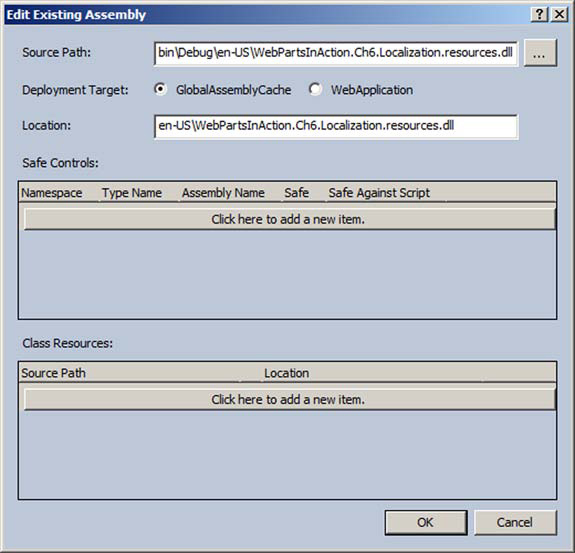
In the Edit Existing Assembly dialog box, set the Source Path field to one of the satellite assemblies. You can find them in your project folder under the bin\<configuration>\<culture>\ folder. All the satellite assemblies have the same name, so you have to edit the Location field of the assembly and prefix it with the culture, as shown in figure 6.10. For each assembly, repeat this procedure. Because you had to select the assemblies from one of the solution configuration folders (such as Release or Debug), you have to change the assembly references when switching between configurations.