concept type in category sharePoint
This is an excerpt from Manning's book SharePoint 2010 Site Owner's Manual: Flexible Collaboration without Programming.
A new capability is the ability to set up calendar overlays, as shown in figure 3.13. This allows you to see multiple calendars in a view and to configure style changes so you can easily identify the type of calendar events you’re viewing.
Because this is a custom list, you need to update the columns in this list to capture the appropriate information regarding your hardware, such as an ID and the type of hardware. For simplicity, you’re going to implement a basic list that captures just those two items. If you want to capture additional information, I recommend that you read the short sidebar so you can get additional ideas to further enhance this list:
Step
Action
Result/Notes
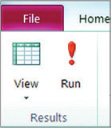
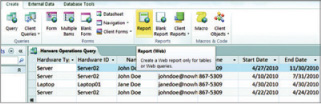
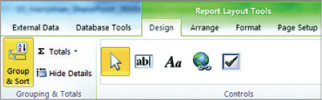
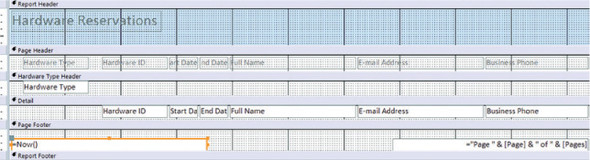
1 From the design view of the Hardware Operations Query select Run. 2 Select Create > Report. 3 Select Group & Sort from the Ribbon under the Design tab. 4 Select Add a Group. This option will display at the bottom of the screen. 5. Select Hardware Type for the field to group on. 6 Resize the fields so they fit nicely on the page. 7 Click Save, and enter Hardware Reservations by Type for the name.