concept ability in category silverlight

This is an excerpt from Manning's book Silverlight 4 in Action: Silverlight 4, MVVM, and WCF RIA Services.
Though business and media applications certainly are great staples, another fun application type is games. Silverlight has good support for casual games, including the ability to generate bitmaps on the fly, create sound from bits, loop audio in the background, and more. The community has successfully ported over physics and gaming engines to Silverlight, making it even easier to create complex casual games. Future versions of Silverlight are expected to be even more gaming friendly; we’ve just seen the tip of the iceberg so far.
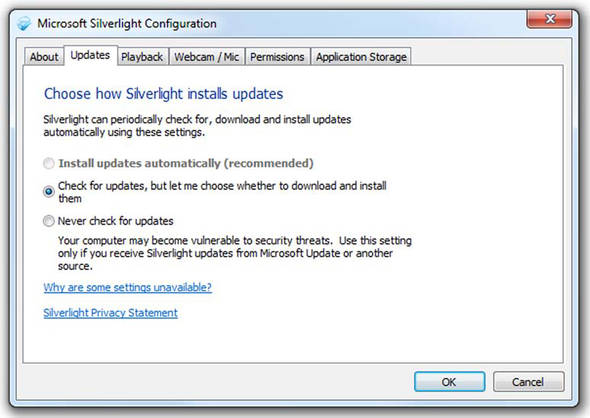
Figure 3.7. The Silverlight Configuration dialog box (Silverlight 4 adds a Webcam/Mic tab). This dialog box is accessible by right-clicking Silverlight content within a web browser. Administrators may configure the Silverlight auto-updater for all users, thereby disabling the ability to change options on this screen.
Silverlight started as an in-browser technology, primarily used for media and simple games. It later evolved into a more capable business technology and added some useful but basic desktop integration with additions such as isolated storage and the OpenFileDialog. With version 3, Silverlight gained the ability to run outside of the browser as a sandboxed desktop application. Starting with Silverlight 4, the sandbox has been expanded and a whole new wave of desktop-integration capabilities included.
The System.IO.IsolatedStorage namespace provides the functionality to work with a user’s isolated storage area. This area can be accessed through the IsolatedStorageFile class, which exposes two statically visible methods that retrieve an IsolatedStorageFile. These methods are GetUserStoreForApplication and GetUserStoreForSite. The GetUserStoreForApplication can be used to retrieve a user’s isolated storage for a specific Silverlight application, defined by the full URL to the .xap. The GetUserStoreForSite method gets a user’s isolated storage for an entire domain. As you may have guessed, this method gives you the ability to share information across multiple Silverlight applications.