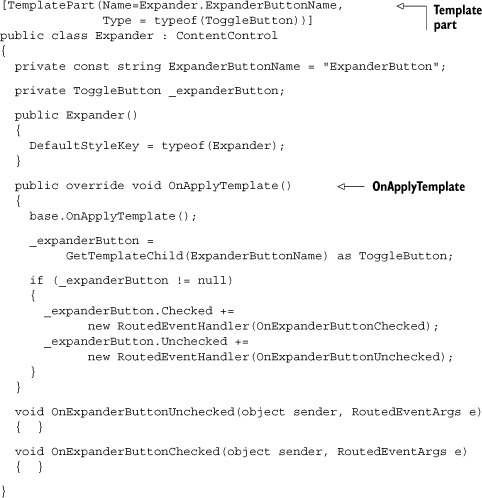
concept control template in category silverlight
This is an excerpt from Manning's book Silverlight 4 in Action: Silverlight 4, MVVM, and WCF RIA Services.
Namespaces are typically declared within the outermost element of an XAML file, as in listing 2.4, but that doesn’t always need to be the case. When using XAML generated by tools, you’ll sometimes find namespaces defined at lower levels, particularly within control templates (covered in chapter 23). In those cases, the namespace only applies to the elements within the enclosing type (and the enclosing element itself) rather than to the XAML document as a whole.
Listing 2.5 shows the definition of a namespace at the Grid level rather than at the UserControl level. The namespace could also have been defined at the MyControl level, but then we’d need to do it for each instance of MyControl. This approach is sometimes taken when using control templates and other situations where you want to minimize possible namespace prefix collisions, while still preserving the ability to reference external code.
A template empowers you to redefine the entire visual representation of an element, giving you the flexibility to make any Control look the way you want it to look. When doing this, you don’t sacrifice the behavior of the Control. You could create a Button that looks and feels like an octagon and still reacts to the Click event. Over the course of this section, you’ll experience the full power of a template by building a control template. You’ll also see how to elegantly create a reusable template.
When you build a control template, it’ll ultimately be used with a Control. Every Control in Silverlight exposes a property called Template. This property is a ControlTemplate that lets you take complete control over what a Control looks like. In a sense, when you set this property, you’re resetting the control’s appearance, giving you a clean slate to work with. From there, you can make a Control look like whatever you want it to look like. For instance, listing 23.13 changes the look of a Button to make it look more like a sphere.