concept user in category silverlight

This is an excerpt from Manning's book Silverlight 4 in Action: Silverlight 4, MVVM, and WCF RIA Services.
Figure 5.9. The experience a user will see if he hasn’t installed this application. Clicking the button calls Application.Current.Install().
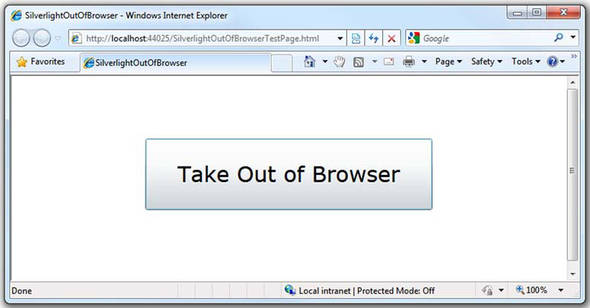
Figure 5.10. The same application after it’s detected that it was installed and is running outside of the browser. Note that the browser-hosted version responded to the InstallStateChanged event by changing its own UI.
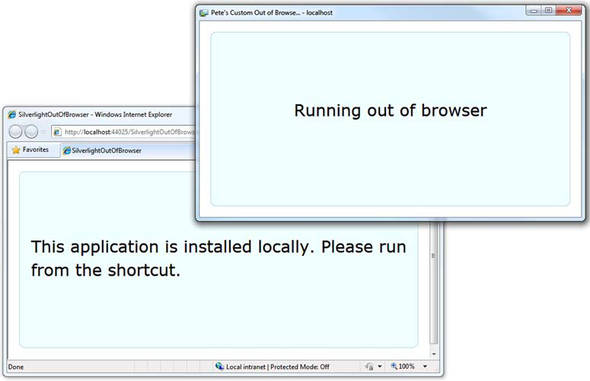
So though you can’t exactly force an application to install locally, you can design it to show different interfaces depending upon its installation state and current mode of operation. Think carefully before you use this type of code in your own applications; if there’s no compelling reason to force an application to run out of the browser only, don’t force the user.
Users are much more likely to install an application with the friendlier dialog and your publisher information than with the yellow-bannered “unverified source” shown in figure 5.13.
Creating a file within a user’s isolated storage area is a simple process. This process hinges on the System.IO.StreamWriter object. You can use a StreamWriter to write content into a file stored within isolated storage. Listing 5.9 shows the process of writing a text file to the user’s isolated storage area.
Listing 5.9. Creating a text file within a user’s isolated storage area
using (IsolatedStorageFile isoFile = IsolatedStorageFile.GetUserStoreForApplication()) { using (IsolatedStorageFileStream stream = new IsolatedStorageFileStream( "file1.txt", FileMode.Create, isoFile)) { using (StreamWriter writer = new StreamWriter(stream)) { writer.Write("Hello, from the isolated storage area!"); } stream.Close(); } }Listing 5.9 shows how easily you can write a text file into the isolated storage area. The first step is to retrieve a user’s isolated storage area. Then, you create an IsolatedStorageFileStream that represents a file within isolated storage. The contents of this file are created using a StreamWriter. This StreamWriter gives you the flexibility to write either binary data or plain text. This is important to recognize because the contents of an isolated storage area aren’t encrypted automatically. Because of this, you may want to manually encrypt your data when writing it to a file.
The IsolatedStorageFile class represents a virtual filesystem that a Silverlight application can manage. Note the word virtual; outside of the elevated security mode, you can’t directly access the user’s local filesystem due to security constraints. As the previous example showed, you can still access data related to the requesting Silverlight application but, in reality, the term filesystem is a probably a stretch.