concept web page in category silverlight

This is an excerpt from Manning's book Silverlight 4 in Action: Silverlight 4, MVVM, and WCF RIA Services.
Silverlight is far more than a web technology. Though it can live on a web page, it’s also common to have out-of-browser Silverlight applications, either connected to services or simply using resources on the client. In those instances, you may wonder when to use WPF and when to use Silverlight.
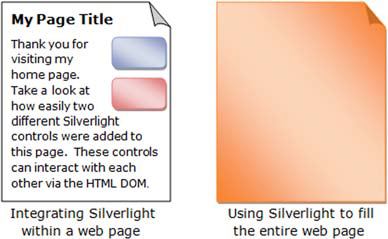
As mentioned in chapter 1, Silverlight is a browser-based plug-in. This plug-in was designed to be consistent with the well-established web architecture. This design decision ensures that you can integrate Silverlight content within any new or existing web property. The web property could be anything from a web page to a blog, intranet portal, or desktop gadget. As shown in figure 4.1, this decision gives you the flexibility to use as little or as much Silverlight as you want.
Up until now, the web page loaded in the WebBrowser control has been a black box. The user can type into it, but the application can’t do anything other than load the content and let it fly. Sometimes you need to invoke behavior on the web page. The WebBrowser control includes two overloads of the InvokeScript method just for that.
The WebBrowserBrush takes a WebBrowser control as its source and is then used to paint on any arbitrary path or shape. It doesn’t allow the user to interact with the web page. During PDC09, Scott Guthrie demonstrated an application that puzzlefied a You-Tube page with a Rick Astley video playing in a Flash player. This was accomplished using the Web Browser brush on the individual puzzle shapes.
Listing 4.5 shows how to use the WebBrowserBrush to show the contents of a web page within an ellipse. The HTML used is the same as that from listing 4.2.