concept WebClient in category silverlight

This is an excerpt from Manning's book Silverlight 5 in Action.
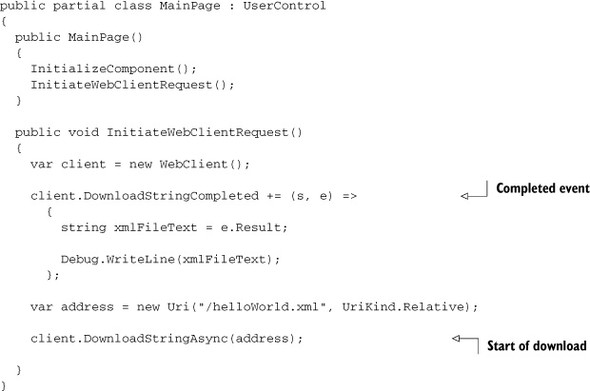
The code here does a few interesting things. First, it creates an instance of WebClient, one of the easiest-to-use network clients in Silverlight. You’ll learn about the WebClient in detail in chapter 19. It then sets up an event handler using a lambda expression to respond to the results. Finally, it asynchronously calls the method to download the result string from search.twitter.com. The search is for tweets mentioning “Silverlight.”
Most networking operations, and certainly those using HTTP, are made up of a request to the endpoint and a response from it. Silverlight formalizes this via the WebRequest and WebResponse classes and their derivatives, as well as with the classes that build on them, such as the WebClient.
The simplest way to get text data from the web is to use the DownloadStringAsync method. Listing 19.3 shows the WebClient version of listing 19.2, downloading a single XML file from our local web project.
Listing 21.8. Getting data from a REST service using the WebClient
using System; using System.IO; using System.Net; using System.Diagnostics; ... public void LoadCustomers() { string url = "/api/customer"; Uri uri = new Uri(url, UriKind.Relative); var client = new WebClient(); client.DownloadStringCompleted += (s, e) => { Debug.WriteLine(e.Result); }; client.DownloadStringAsync(uri); }