concept scratch in category sonarqube

This is an excerpt from Manning's book SonarQube in Action.
When you start a new project, you have a clean code base with no duplications, unless you copied another project to start with. Every single line of code is written from scratch, and you have absolute confidence that neither you nor your teammates will introduce any duplications.
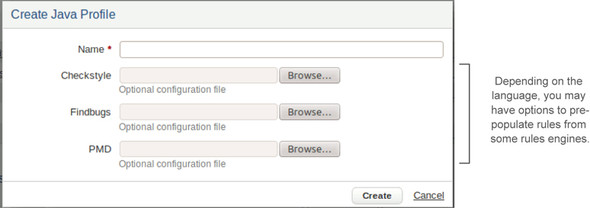
There are two ways to make a new profile. You can create one from scratch or copy an existing one, which is supremely easy (as shown in figure 13.1).
Figure 13.1. Clicking the Configuration link at the top of the page takes you to a list of rule profiles. Logged-in administrators can easily copy any profile with the click of a mouse. The only hard part is coming up with a good name for the new profile.
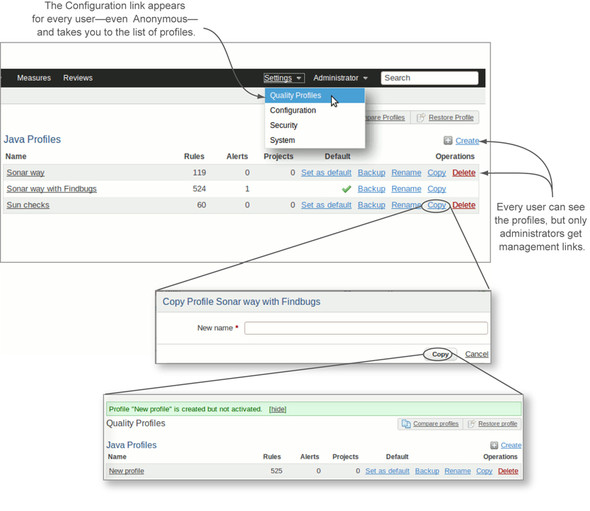
Each profile is displayed with a Copy button. Provide a unique profile name in the resulting pop-up, and you’re in business. If you’d rather start from scratch, that’s easy too. Just click the Create link to the right of the language in question. A creation form pops up, as shown in figure 13.2.