concept file in category spark
This is an excerpt from Manning's book Spark in Action, Second Edition.
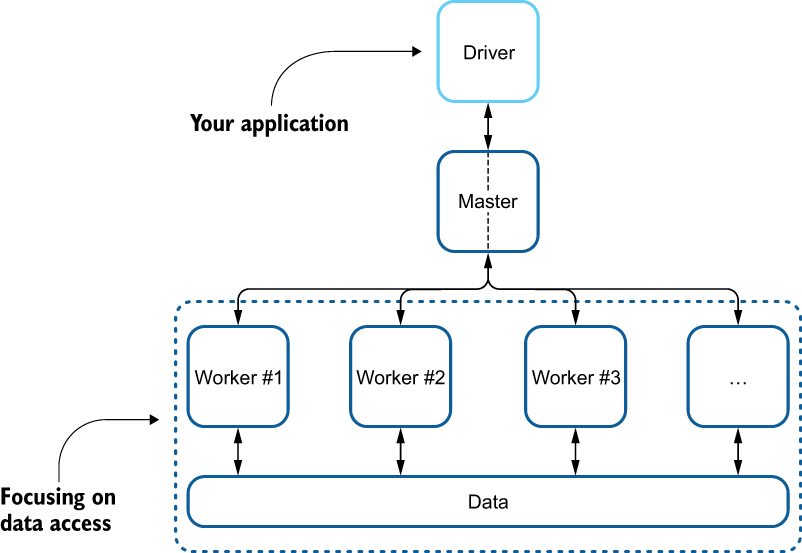
At t 2, the master tells the workers to load the file, as coded in listing 2.4. You may wonder, “If you have three workers, which one is loading the file?” or “If they load simultaneously, how do they know where to start and finish?” Spark will ingest the CSV file in a distributed way. The file must be on a shared drive, distributed filesystem (like HDFS in chapter 18), or shared via a shared filesystem mechanism such as Dropbox, Box, Nextcloud, or ownCloud. In this context, a partition is a dedicated area in the worker’s memory.
Listing 2.4 Reading the authors file
Dataset<Row> df = spark .read()
         .format( "csv" )
         .option( "header" , "true" )
 .load( "data/authors.csv" );
Let’s take a second to look at our CSV file (see listing 2.5). It is a simple file with two columns:
lnamefor the last name, andfnamefor the first name. The first line of the file is a header. The file contains six more lines, which will become six rows in our dataframe.
$ mvn exec:java@generate-records-in-files