concept Report Manager in category sql

This is an excerpt from Manning's book SQL Server MVP Deep Dives.
When starting the Report Manager for the first time (or after a period of inactivity), be prepared for a wait. It can take 30 to 90 seconds to get the Reporting Services functionality compiled and to render the initial menu of available reports.
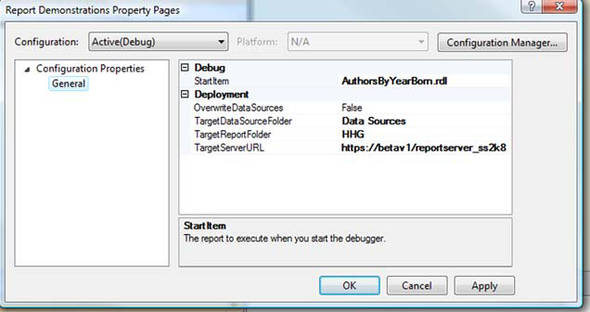
Reporting Services 2008 has also changed the default virtual directory name used to reference the Report Manager and Report Server. For the two people in Cleveland that didn’t set up SQL Server with a named instance, you can skip on down to the next tip. For the rest of you, when it comes time to address the Report Manager, or to deploy your Visual Studio BI Report Project, you’ll discover the syntax shown in figure 12. Note that the deployment TargetServerURL name appends the instance name after reportserver with an underscore (_) instead of a dollar sign ($) which probably offended someone in the Ural Mountains and all IIS purists.
Notice that this dialog box is still not sizeable so if the server name or instance name is a bit longer, you’ll have to figure out how to squirrel around with the arrow keys to inspect the current setting. This also means that when it comes time to get to the Report Manager (and you’ll want to), you’ll need to use this URL: https://<system name>/Reports_<instance name>.