concept second Reporting Services instance in category sql

This is an excerpt from Manning's book SQL Server MVP Deep Dives Vol. 2.
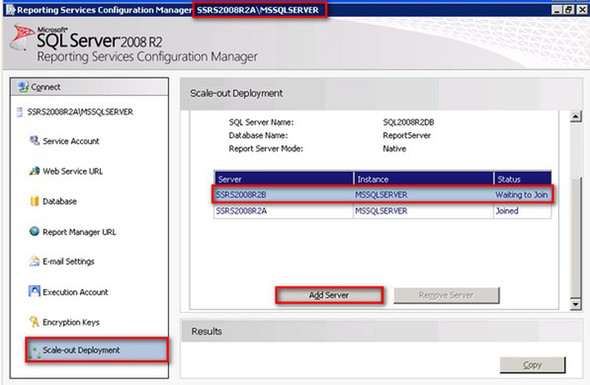
This means that you need to connect to the first Reporting Services instance that you configured and accept the second Reporting Services instance to join the scale-out deployment. As shown in figure 1, run the Reporting Services Configuration Manager and connect to SSRS2008R2A.
You should see the second Reporting Services instance with a Waiting to Join status. Select the report server instance that’s waiting to join the scale-out deployment and click the Add Server button. You can now verify that both Reporting Services instances are working properly by using the Web Service URL field values to test the Reporting Services individually as if they were still standalone instances.