liveBook · Manning

405 Method Not Allowed

As explained in ASP.NET Core in Action, 3e

A 405 status code is an HTTP response status indicating that the request method is not supported for the targeted resource.

A 405 response means that a request reached a matching resource path, but its HTTP method is not supported there. The endpoint handler does not run. section 5.2.2 section 20.3.3

Check these common causes when a request returns 405:

  • Use the HTTP verb assigned to the endpoint, such as GET, POST, PUT, or DELETE. section 5.2.2 section 20.3.3
  • Verify the URL path carefully; a typo can produce 405 even when the intended verb is correct. section 5.2.2
  • Match controller actions with attributes such as [HttpGet] and [HttpPost], or map the corresponding minimal API verb. section 20.3.3 section 5.2.2

A wrong verb

An endpoint mapped with MapGet("/person/{name}", handler) accepts GET requests. Sending POST to /person/Al matches the path but not the method, so the handler is skipped and the response is 405 Method Not Allowed. section 5.2.2

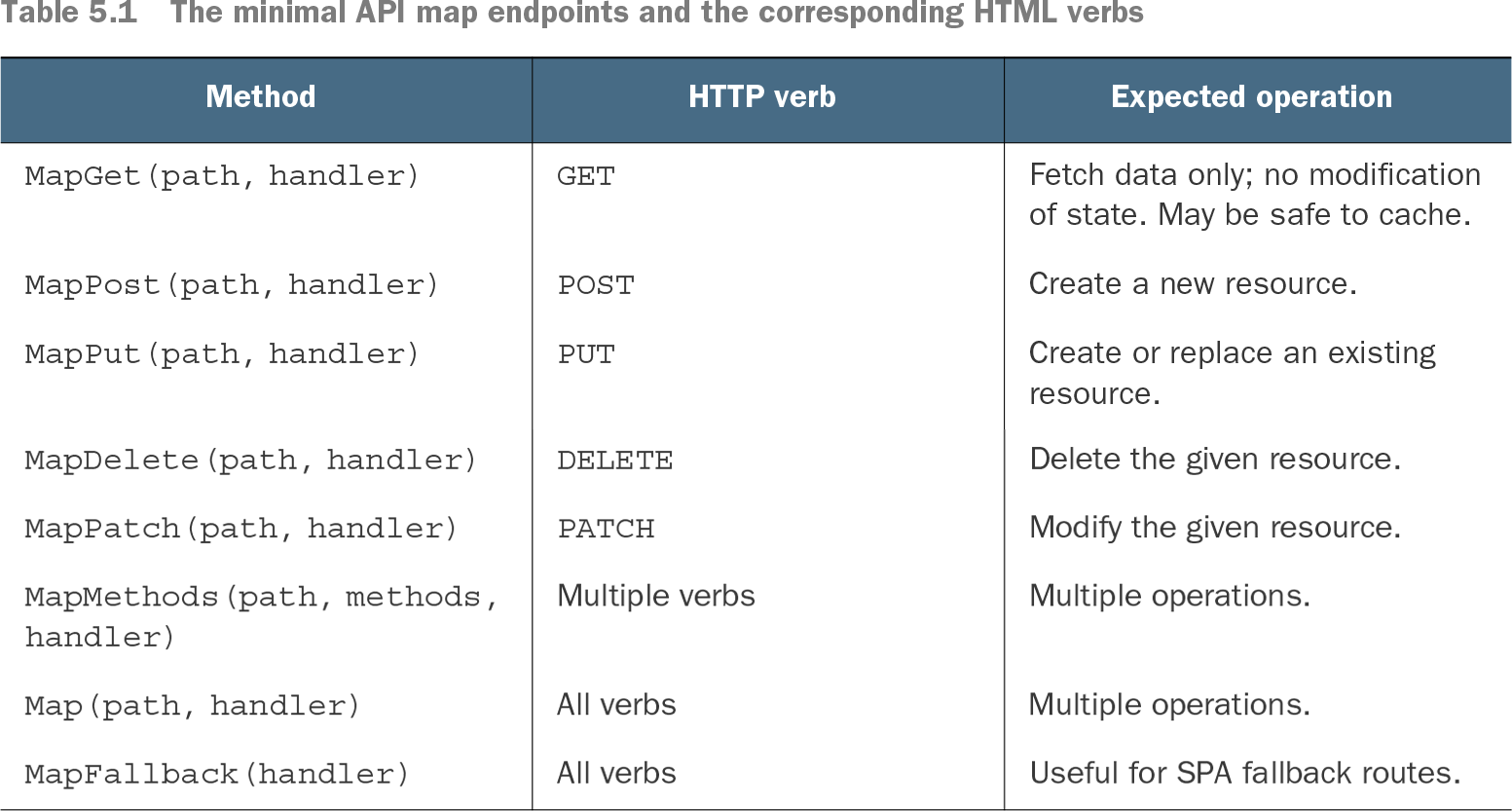
Table 5.1 The minimal API map endpoints and the corresponding HTML verbs (view table figure)

Method

HTTP verb

Expected operation

MapGet(path, handler)

GET

Fetch data only; no modification of state. May be safe to cache.

MapPost(path, handler)

POST

Create a new resource.

MapPut(path, handler)

PUT

Create or replace an existing resource.

MapDelete(path, handler)

DELETE

Delete the given resource.

MapPatch(path, handler)

PATCH

Modify the given resource.

MapMethods(path, methods, handler)

Multiple verbs

Multiple operations.

Map(path, handler)

All verbs

Multiple operations.

MapFallback(handler)

All verbs

Useful for SPA fallback routes.

Use the endpoint map to compare HTTP verbs with their intended operations, including fetching, creating, replacing, modifying, and deleting resources. section 5.2.2

How ASP.NET Core in Action, 3e covers it

How deep it goes
Explains route-and-verb matching and troubleshooting, but does not descend into response-generation internals.
Examples
Demonstrates POST sent to a GET-only person endpoint and DELETE sent to a GET-only appointments endpoint.
What it assumes
Assumes familiarity with HTTP verbs and endpoint paths while reinforcing their relationship through API examples.
What you can do after
Diagnose/debug with it: verify the request path and HTTP verb when an API returns 405.
How it connects
Connects HTTP verbs with minimal API endpoint mapping, attribute routing, controller actions, and URL paths.

Related concepts

This explainer was generated by Manning's knowledge graph from the text of ASP.NET Core in Action, 3e. The section links point to the parts of the book it draws on.