Absolute positioning places an element relative to a containing block instead of keeping it in normal document flow. For text and layout elements, avoid relying on it: when someone increases text spacing, inflexible layouts can hide content or functionality. Flexible CSS layouts such as Flexbox or Grid can help content adapt. section 4.4.3
Check whether text spacing hides content
Apply custom spacing to a page, then check whether all content remains visible. One example shows a “Read more” link disappearing after custom spacing is applied. section 4.4.3
Figure 4.7 Content and functionality should not be cut off when users modify font settings, such as increasing line height, character, word, or paragraph spacing. This image shows that some content, in this case, the “read more” link, is no longer visible after applying custom spacing.
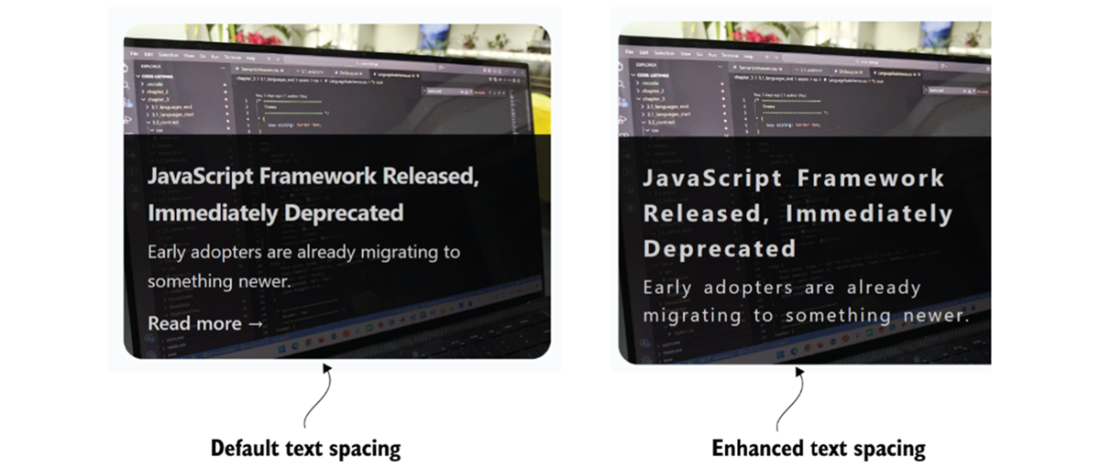
Shows a “Read more” link becoming invisible after custom text spacing is applied. section 4.4.3