An accordion menu keeps a mobile interface focused by showing essential information first and expanding additional content only when users request it. This reduces clutter while keeping related details on the same page. section 6.5.1
Use an accordion menu when adapting dense desktop content for smaller screens:
- Show only the information users need to scan quickly. section 6.5.1
- Reveal secondary details through an interactive expand action instead of displaying everything at once. section 6.5.1
- Keep the user on the list page when expanding additional information is more useful than opening a separate page. section 6.5.1
Hotel listings on a phone
Display each hotel’s name, price, rating, and neighborhood first. Let users expand an item to see further details without leaving the list. section 6.5.1
Figure 6.26 To reduce information overload and visual clutter, show only the most vital information and allow users to click in to find more information if they want it.
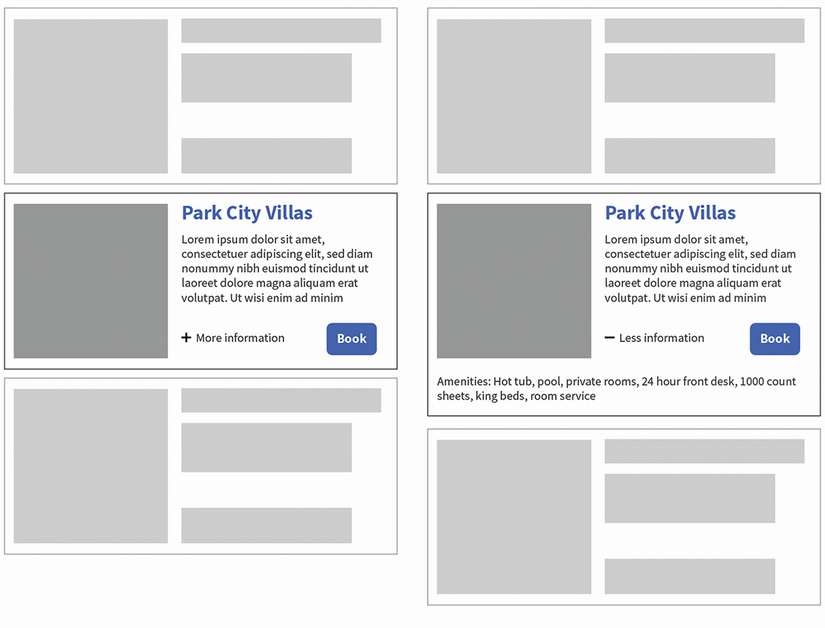
Compare a compact list that reveals more information on demand with an interface overloaded by visible content. section 6.5.1
