Anti-aliasing smooths jagged low-resolution edges by assigning intermediate intensities, such as gray, to pixels near a shape’s boundary. A diagonal line then appears less like a staircase, even though the screen still uses discrete dots. The name comes from signal processing, where aliasing describes problems caused by low-resolution versions of higher-resolution signals. section 1.3
A smoother ampersand
Imagine preparing a filled ampersand for a coarse display. Pure black-and-white dots make its curves visibly jagged; replacing boundary dots with suitable gray intensities makes the low-resolution shape look closer to the ideal high-resolution form. section 1.3
Figure 1.12 A shape filled first with black and white dots and then with dots of differing shades of gray
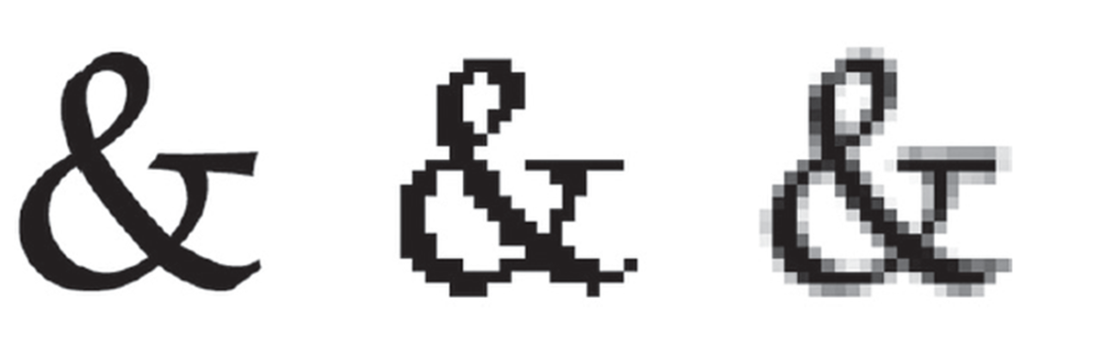
Compare the same filled shape rendered with only black and white dots and with differing shades of gray. section 1.3

