liveBook · Manning

Base image

As explained in Podman in Action: Secure, rootless containers for Kubernetes, microservices, and more

A base image is a container image selected as the starting filesystem and metadata layer for building another container image.

A base image is the starting image for a new container image. A Containerfile selects it with FROM, after which Podman adds files and commands to its rootfs. section 2.3.1

Podman pulls an existing base image from a registry into container storage, mounts it on a rootfs with copy-on-write storage such as OverlayFS, and uses it as the base layer for subsequent instructions. FROM scratch instead creates an empty rootfs for COPY-based construction. section 2.1 section 2.3.1

A base image establishes the starting point for:

  • Installing packages or running other build commands with RUN, which commits each result as a new layer. section 2.3.1
  • Copying application files into the image with COPY. section 2.3.1
  • Defining the image’s later runtime behavior through directives such as CMD and ENTRYPOINT. section 2.3.1

Build an HTTP application image

Create a context directory containing index.html and a Containerfile with FROM ubi8/httpd-24 followed by COPY index.html /var/www/html/index.html. Run podman build -t quay.io/rhatdan/myimage ./myapp to commit and tag the resulting image. section 2.3.2

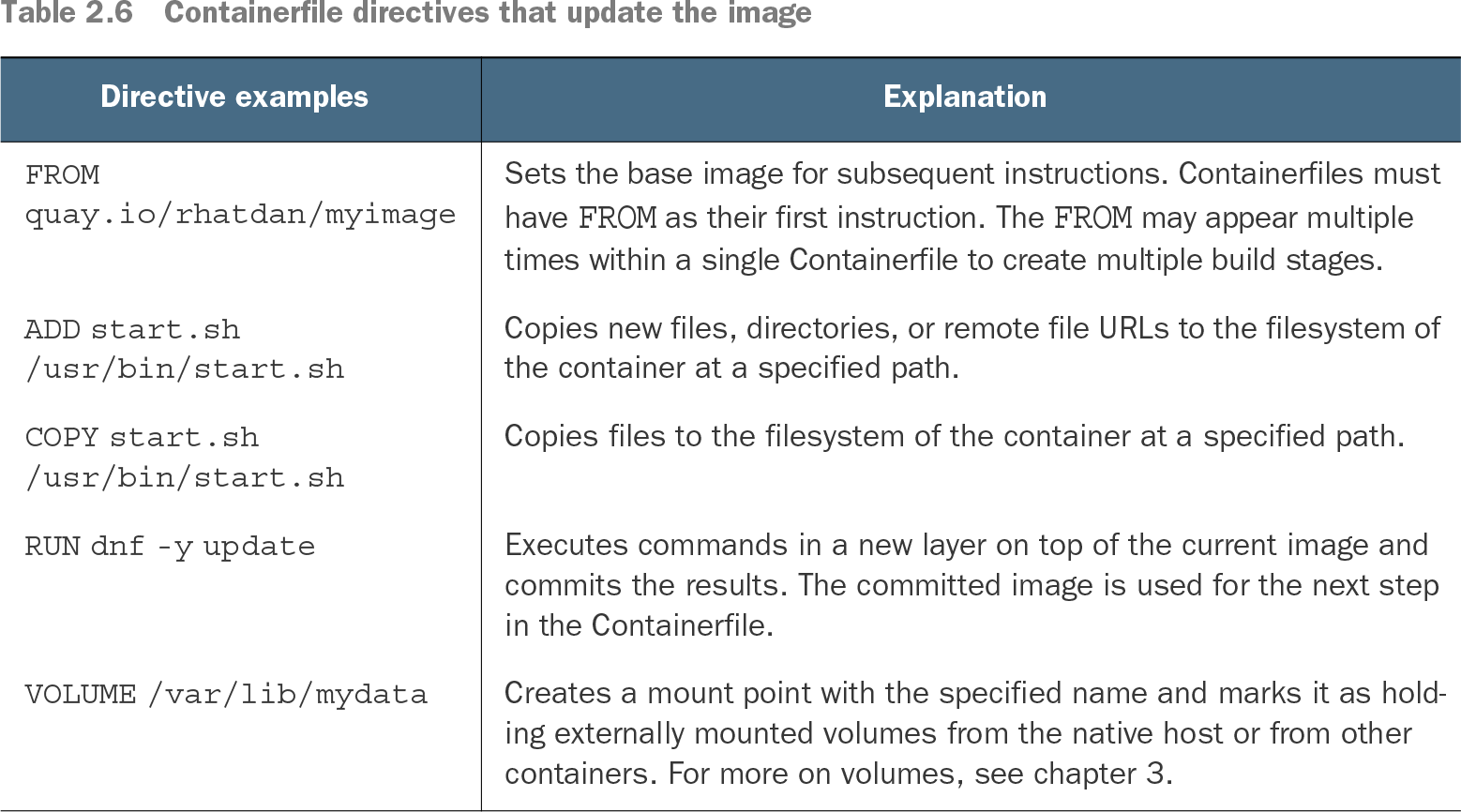
Table 2.6 Containerfile directives that update the image (view table figure)

Directive examples

Explanation

FROM quay.io/rhatdan/myimage

Sets the base image for subsequent instructions. Containerfiles must have FROM as their first instruction. The FROM may appear multiple times within a single Containerfile to create multiple build stages.

ADD start.sh /usr/bin/start.sh

Copies new files, directories, or remote file URLs to the filesystem of the container at a specified path.

COPY start.sh /usr/bin/start.sh

Copies files to the filesystem of the container at a specified path.

RUN dnf -y update

Executes commands in a new layer on top of the current image and commits the results. The committed image is used for the next step in the Containerfile.

VOLUME /var/lib/mydata

Creates a mount point with the specified name and marks it as holding externally mounted volumes from the native host or from other containers. For more on volumes, see chapter 3.

Use the directive table to compare FROM with COPY, RUN, and runtime configuration instructions. section 2.3.1


How Podman in Action: Secure, rootless containers for Kubernetes, microservices, and more covers it

How deep it goes
Explains registry pulls, rootfs mounting, copy-on-write layers, scratch, and later build directives.
Examples
Uses ubi8/httpd-24, an index.html file, a Containerfile, and a tagged podman build command.
What it assumes
Assumes basic container-image and Podman familiarity while defining rootfs, FROM, scratch, and build layering.
What you can do after
Build an application image by selecting a base image and applying Containerfile instructions with podman build.
How it connects
Connects Containerfiles, FROM, rootfs, container storage, OverlayFS, COPY, RUN, and podman build.

Also explained in

Compare how 7 books explain base image →

Related concepts

This explainer was generated by Manning's knowledge graph from the text of Podman in Action: Secure, rootless containers for Kubernetes, microservices, and more. The section links point to the parts of the book it draws on.