A bookmark is a saved reference to a web resource, usually kept with a title, URL, notes, and the date it was added. It helps preserve useful resources and the reason they mattered. section 6.1 section 6.2
A bookmark application commonly supports a small CRUD workflow:
- Create a bookmark with a title, URL, optional notes, and an automatically recorded timestamp. section 6.1 section 6.2
- Read bookmarks by listing saved records, optionally ordered by a chosen field such as date added. section 6.1 section 6.3.2
- Update details when a title or description becomes unclear, and delete bookmarks when they are no longer useful. section 6.1
Bark command-line application
A terminal application can present menu choices for adding, listing, and deleting bookmarks. Each choice triggers a command object, while a database manager handles persistence. For example, an add command assigns the current timestamp, stores the data, and returns a confirmation message. The initial workflow implements creation, reading, and deletion; updating is deferred. section 6.2 section 6.3.2
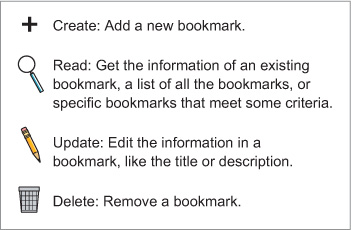
Use the CRUD diagram to see how creating, reading, updating, and deleting bookmarks form the basic cycle for managing user data. section 6.1
