If an element declared as 100px wide occupies more space than expected, check `box-sizing`. With the default `content-box`, width and height describe only the content; padding and borders increase the element’s total dimensions. With `border-box`, the declared dimensions include content, padding, and borders. Margins remain outside the box. section 2.2
Account for the extra pixels
A `div` with `width: 100px`, `height: 50px`, padding of 30px left and 10px right, and borders of 5px left and 3px right totals 148px wide under `content-box`. Its padding and borders likewise bring its total height to 81px. Set `box-sizing: border-box`, and its total dimensions stay 100px by 50px. In an interview, explain which measurements the declared dimensions include before adjusting the numbers. section 2.2
Figure 2.6 CSS box model, where the content box is at the center, surrounded by padding. The border wraps around the padding, and the margin forms the outermost layer, creating space between elements.
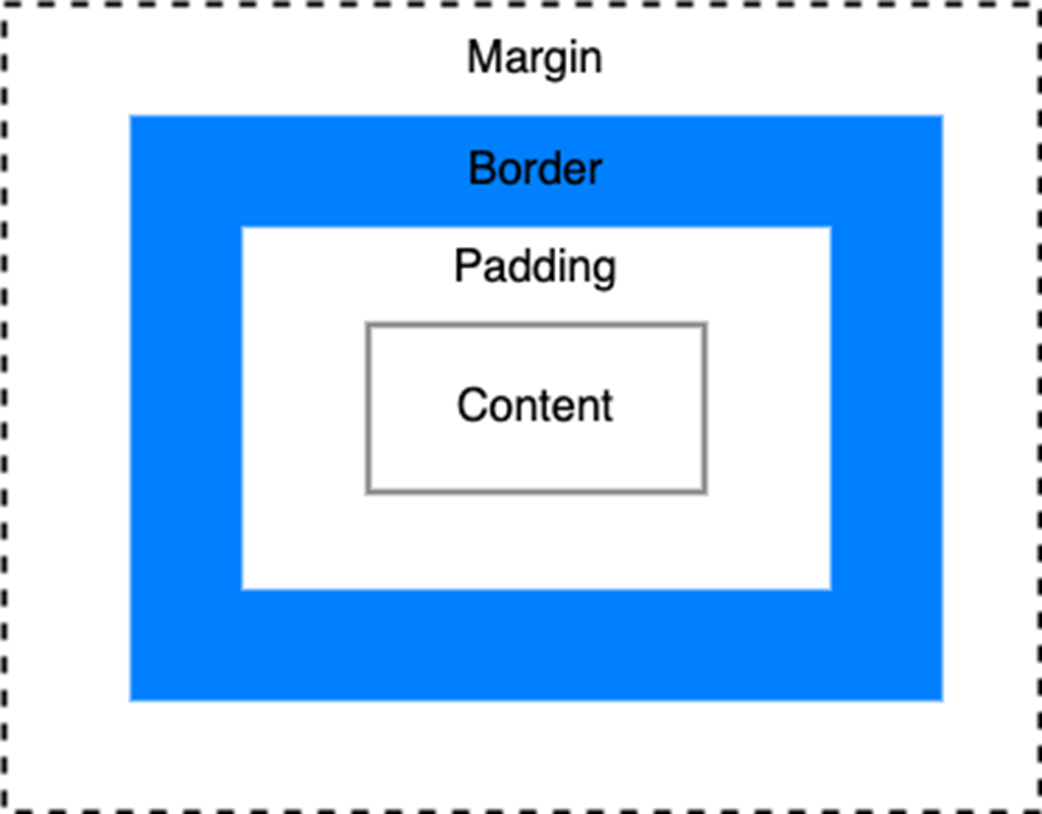
The box-model diagram locates content, padding, border, and margin—the layers to distinguish when explaining an element’s size. section 2.2

