Code reloading keeps a .NET MAUI app running while supported changes appear in real time. Hot Reload on File Save applies those changes automatically whenever you save a file, making the edit-run-check loop faster. section 2.4 section 2.4.1
Use the workflow like this:
- Run the .NET MAUI app from Visual Studio for Windows or Visual Studio for Mac. section 2.4 section 2.4.2
- Edit a supported value in MainPage.xaml, such as text or a layout property, and save the file. section 2.4.1 section 2.4.2
- Enable Hot Reload on File Save from the Hot Reload button’s drop-down to apply supported edits without manually triggering reload. section 2.4.1
- Rebuild or restart when the change adds or removes classes, methods, or resources such as images. section 2.4.1 section 2.4.2
Changing an app while it runs
Replace “Hello, World!” with “Aloha, World!” in the running app’s XAML and save. The updated text appears without restarting. Replace the Dotnet Bot image as well, but expect a rebuild or restart because image resources cannot be changed by Hot Reload. section 2.4 section 2.4.2
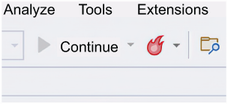
The Visual Studio Hot Reload button provides the entry point for manually applying changes and enabling file-save reload. section 2.4.1



