A code walkthrough connects a pull request’s overall changes to the individual files affected, helping reviewers see what changed and where to focus. section 13.3
A generated pull-request walkthrough
A developer runs Qodo’s /describe command to produce a pull-request description, title, impact summary, code walkthrough, and automatic labels. The result can be added to the pull request description or timeline, and the command can run automatically through a GitHub Action. section 13.3
Use a walkthrough when you want to:
- Orient reviewers before they inspect the diff. section 13.3
- Compare the broad purpose of a change with its file-level effects. section 13.3
- Automate recurring summaries while checking generated output for hallucinations and misunderstandings. section 13.3
Figure 13.2 Output of Qodo /describe command, showing type of change, PR description, and change walkthrough
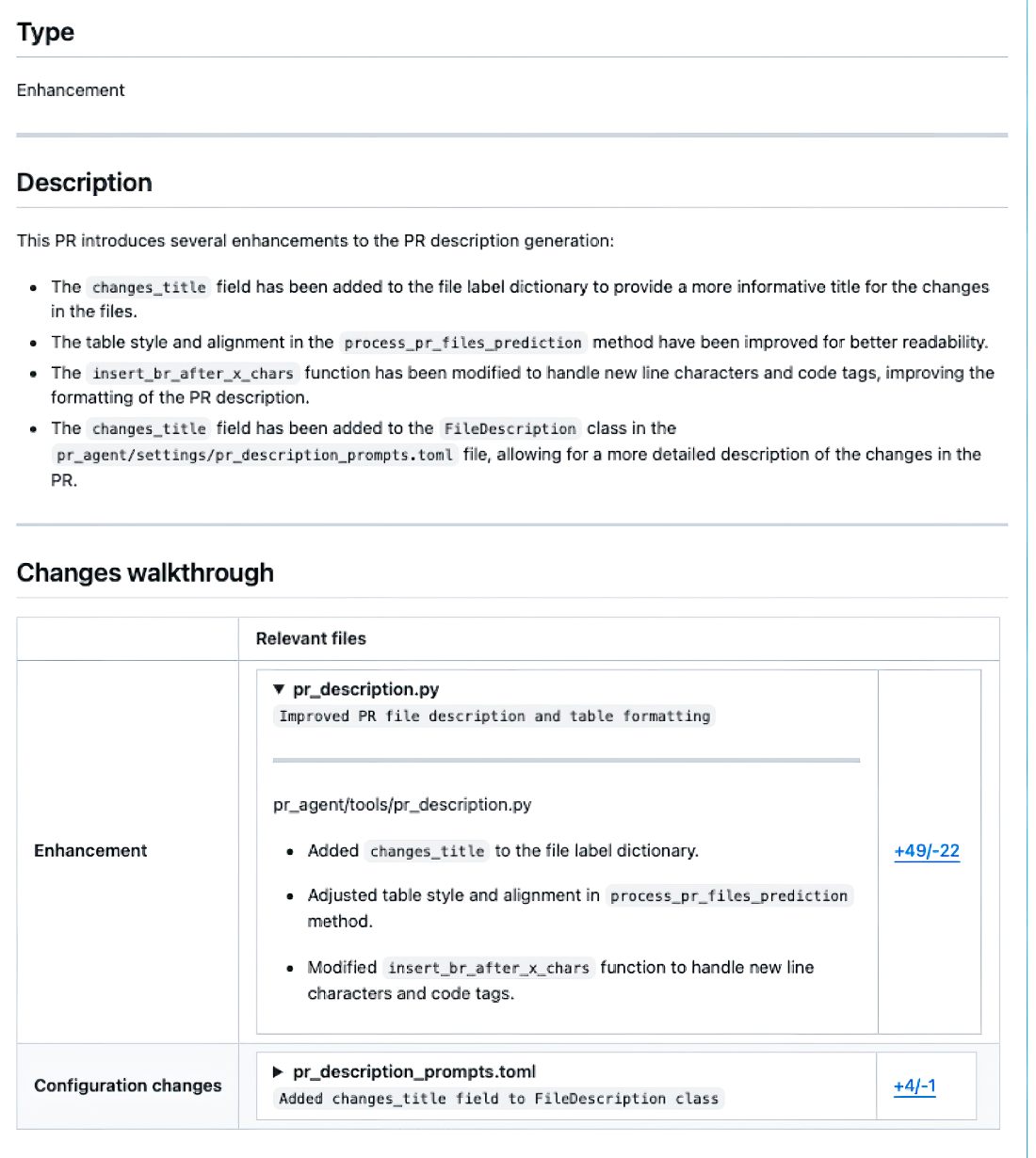
Shows Qodo’s generated output alongside the change type and pull-request description. section 13.3
