A column layout divides page content into parallel vertical sections. Choose the structure according to the page’s goals, content, and the way users should move through the page. Desktop layouts commonly use one to three columns, then scale to one column on mobile for readability. section 6.3
Use column choices to make content easier to scan and relationships easier to understand:
- Keep shared elements such as headers and footers consistent while adapting the main content structure to each page. section 6.3
- Mix column counts across homepage sections when each section previews different content; changing widths can separate groups without extra decoration. section 6.3.2
- Keep the main body of text consistent when changing layouts elsewhere, so content remains predictable to read. section 6.3.2
- Build the layout on a grid so components with different widths still align and guide the eye through the page. section 10.3
A responsive homepage
A homepage might begin with an image, a call to action, and a description, then continue with highlights arranged in another column pattern. A two-column row can sit above a three-column row, allowing each group to read as a related unit. On smaller screens, these sections can collapse to one column. section 6.3.2
A measured grid
A large-screen interface can use a 12-column grid with a 1220px maximum width and 16px gutters. Content may span the full grid, while a search bar or other component occupies only the columns it needs. section 10.3
Figure 6.10 Using different content widths from row to row helps break up content and establish a natural relationship based on similarity—in this case, content width.
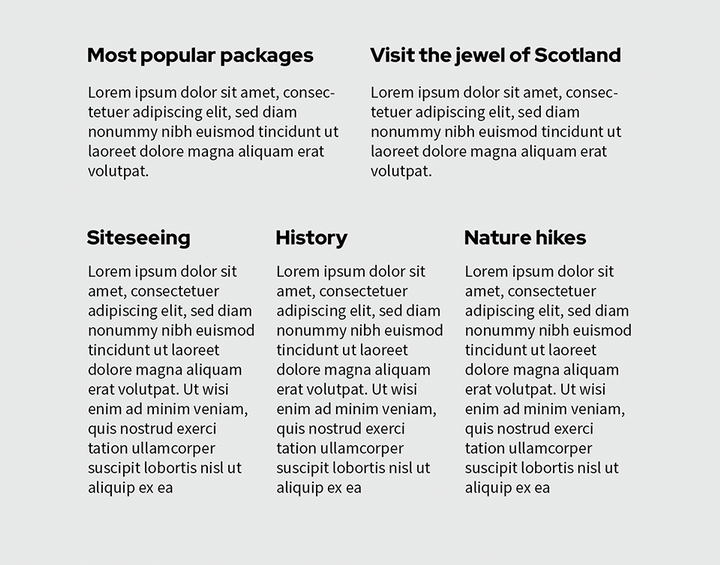
Compare how different content widths separate homepage sections and establish relationships through similarity. section 6.3.2
