Composio acts as a connector layer between AI agents and external services. Instead of building each API integration from scratch, an agent can use prepared tools for services such as Gmail, Google Calendar, LinkedIn, Slack, YouTube, Discord, and Dropbox. section 6.4
A practical Composio setup follows these stages:
- Create a free Composio account and retrieve an API key from Settings > API Keys. section 6.4
- Add a Composio component, such as Gmail, to a Langflow agent and provide the API key. section 6.4
- Connect the service account, then select and test available actions. section 6.4
Delivery agent with Gmail
A delivery agent can use the Gmail component to send, read, or draft emails as part of an agentic copywriting team. section 6.4
Figure 6.21 How to retrieve a Composio API key
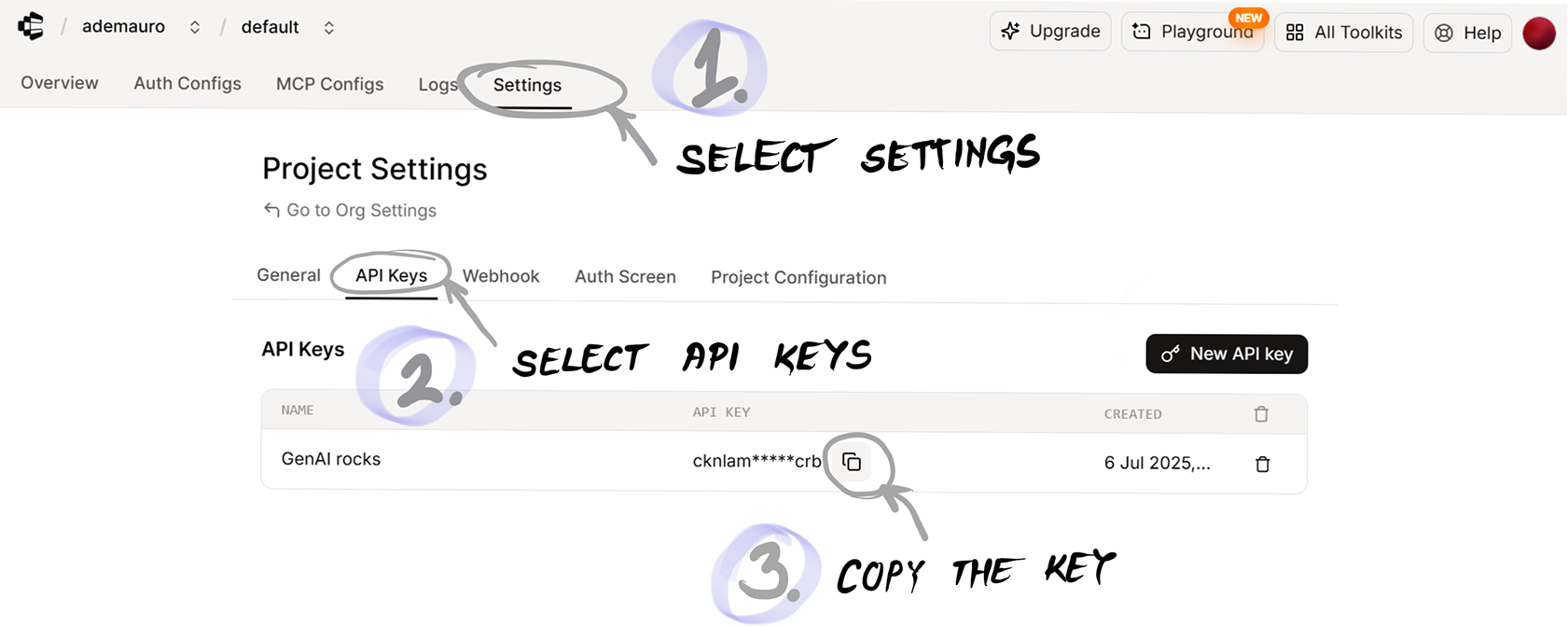
Shows where to retrieve the Composio API key. section 6.4
Figure 6.22 The Gmail component requires a Composio API key and a connection with a Gmail account.
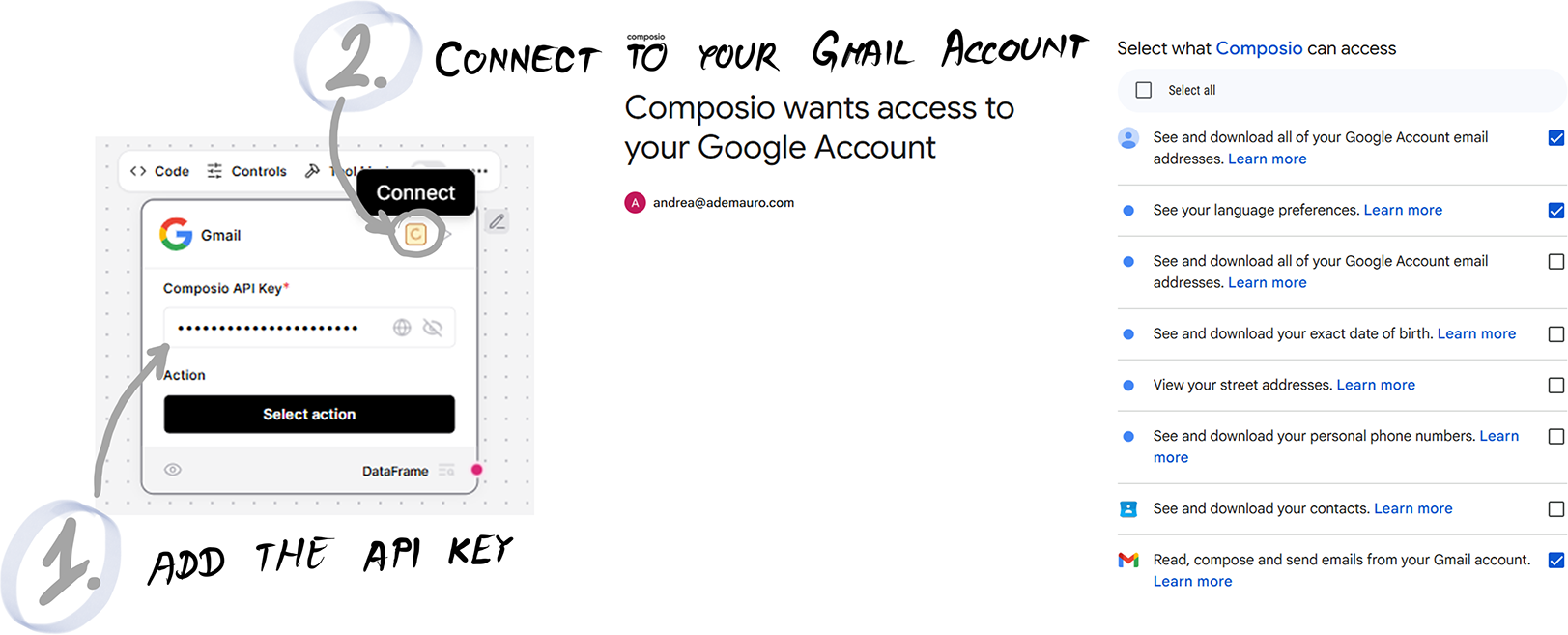
Shows the Gmail component's API-key and account-connection requirements. section 6.4
