A connection manager stores the settings SSIS uses to reach a data source or destination. Common choices include OLE DB, ADO.NET, file, flat file, and Analysis Services connections. Use OLE DB for SQL Server data flows when performance matters; use ADO.NET for Execute T-SQL Statement tasks on the control flow. section 6.0
Mistake #1: trusting the default provider and security settings. SQL Native Client 11 is deprecated and is not included with SQL Server 2022. Install Microsoft OLE DB Driver 19 for SQL Server, after its Visual C++ Redistributable prerequisite, then select that provider. Its encryption setting defaults to Mandatory; without SQL Server certificates, change Use Encryption For Data to Optional. section 6.0
Loading a CSV file into Marketing staging
Create two connection managers: a flat file connection for impressions.csv and an OLE DB connection for the SQL Server instance hosting Marketing. Configure the flat file’s path, encoding, and format; set its comma delimiter; review column properties and the 100-row preview. Do not blindly accept inferred types from that preview. For a permissive staging load, retain 50-character string columns, then configure the SQL Server instance and initial catalog in the OLE DB connection. section 6.1
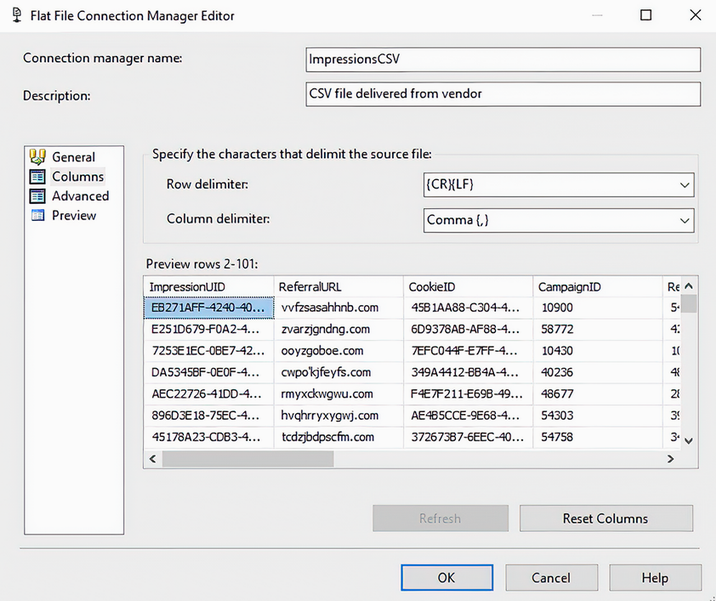
Use the Columns page to verify that the flat-file delimiter is a comma before loading the CSV. section 6.1
