liveBook · Manning

Continuous color function

As explained in Geometry for Programmers

A continuous color function maps spatial coordinates to color values while varying continuously across the image domain.

A continuous color function assigns each spatial coordinate a color, F(x, y) → (R, G, B), while varying smoothly across an image. Interpolating each color channel separately turns a bitmap into a continuous surface of colors. section 8.3.3

Localized inverse-distance interpolation supplies the values between pixels. Boundary walls and corners require explicit definitions so the function remains continuous throughout the image domain. section 8.3.3

Upscaling a bitmap

Upscaling a cat’s-eye bitmap with inverse-distance interpolation removes square pixels and produces a smoother image. Using n = 2 brings back slightly smoothed squares, so keeping n = 1 is often the simpler choice. section 8.3.3
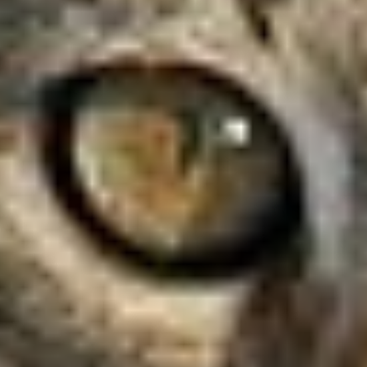
Figure 8.24 An upscale of a cat’s eye, now with inverse distance interpolation
08-24

View the inverse-distance upscale that demonstrates continuous color across the enlarged bitmap. section 8.3.3

How Geometry for Programmers covers it

How deep it goes
Defines channel-wise interpolation, inverse-distance weighting, and wall-and-corner cases, but does not develop the full derivation.
Examples
Uses a cat’s-eye bitmap upscale and compares inverse-distance powers n = 1 and n = 2.
What it assumes
Assumes familiarity with bitmap pixels and RGB color channels while treating transparency as unnecessary for the example.
What you can do after
Apply it by interpolating RGB channels to create smoother bitmap upscales and improve page-unbending output.
How it connects
Connects bitmap interpolation with inverse-distance interpolation, color channels, image upscaling, and page unbending.

Related concepts

This explainer was generated by Manning's knowledge graph from the text of Geometry for Programmers. The section links point to the parts of the book it draws on.