cron is a Unix-like operating-system service that runs commands automatically at configured times or intervals. It replaces manual launches for production workflows such as customer-churn scoring, data pipelines, and database updates. section 11.0 section 11.1
Configure a Python script with cron by following these steps:
- Open the crontab file from a Linux terminal with the provided command; it opens the file in nano for editing. section 11.1.2
- Add a schedule using five fields in this order: minute, hour, day of the month, month, and day of the week. section 11.1.2
- Use an asterisk to leave a time or date field unspecified, allowing the task to run across that field. section 11.1.2
Schedule a Python pipeline
The entry `3 2 1 * * python /path/book/ch11/cool_python_script.py` runs the script at 2:03 AM on the first day of every month. For a daily run at 2:00 AM, use `0 2 * * * python /path/book/ch11/cool_python_script.py`. A customer-churn pipeline can be scheduled using the same pattern. section 11.1.2
Figure 11.1 Instead of manually launching the offline pipeline from a terminal, we can schedule the pipeline to run automatically.
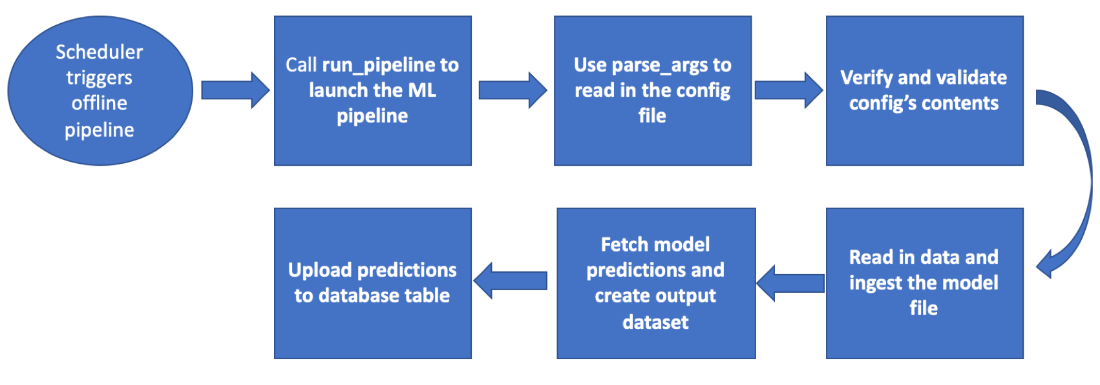
Use the workflow view to connect a scheduler with an offline pipeline that would otherwise be launched manually from a terminal. section 11.1
