A page can work in one browser and stumble in another. Browsers still differ in bugs, available APIs, and behavior, so cross-browser development means planning for the environments that matter to users—not promising perfection everywhere. section 1.2 section 14.1
Start with a support plan:
- Choose browsers and platforms according to your users and testing resources. A targeted application may need a narrower set than a widely reused library. section 14.0 section 14.1
- Keep quality ahead of coverage. Account for code size, performance overhead, and whether APIs behave uniformly across supported browsers. section 14.1 section 14.5
- Expect missing features, browser bugs, regressions, and interference from external code. Test for a problem where possible rather than assuming a browser name guarantees a behavior. section 14.5 section 14.4
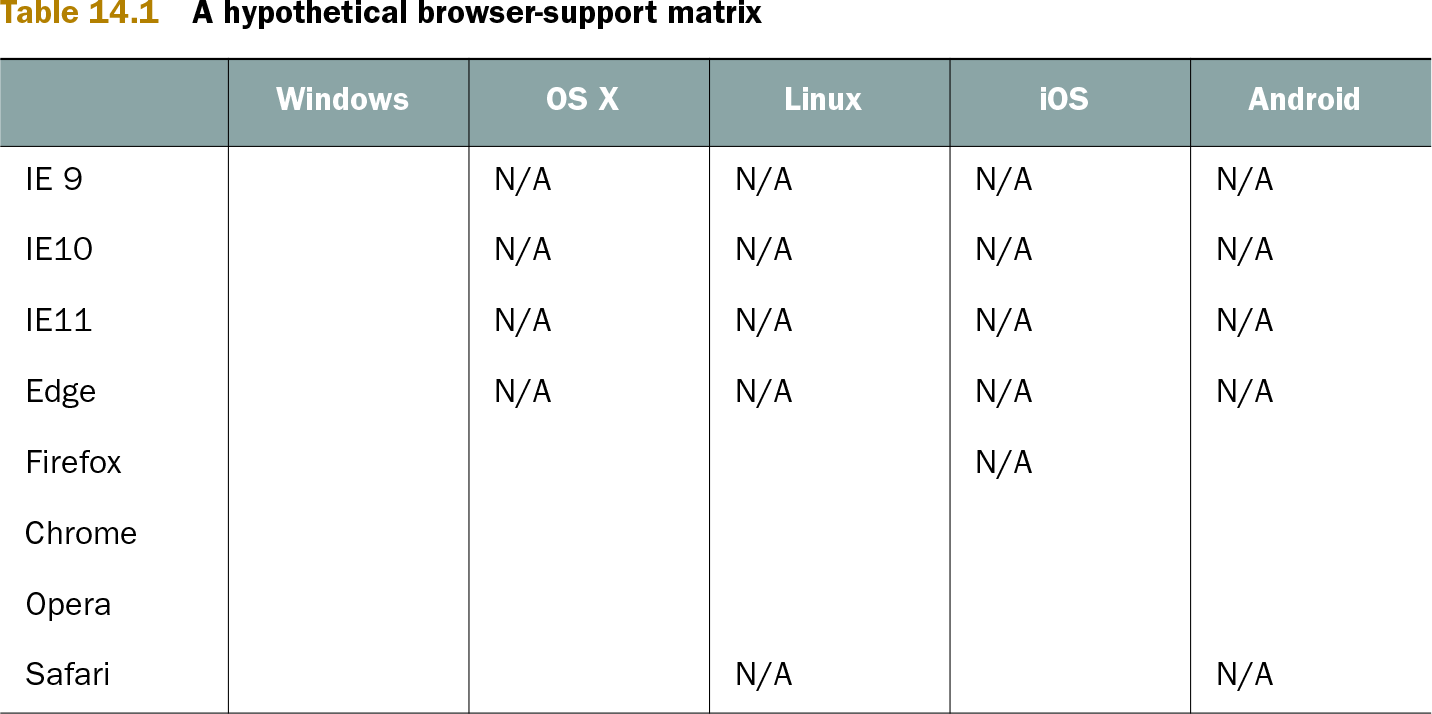
Table 14.1. A hypothetical browser-support matrix (view table figure)
| Windows |
OS X |
Linux |
iOS |
Android |
|
|---|---|---|---|---|---|
| IE 9 | N/A | N/A | N/A | N/A | |
| IE10 | N/A | N/A | N/A | N/A | |
| IE11 | N/A | N/A | N/A | N/A | |
| Edge | N/A | N/A | N/A | N/A | |
| Firefox | N/A | ||||
| Chrome | |||||
| Opera | |||||
| Safari | N/A | N/A |
A browser-support matrix makes the chosen browser-and-platform combinations explicit. Use it to focus effort; it is not a promise to support every combination. section 14.1
Check behavior, not just browser identity
Suppose an event-binding helper chooses between `addEventListener` and `attachEvent`. That is more adaptable than deciding solely from `navigator.userAgent`, but the helper still assumes each property is callable, does the expected job, and represents one of the only possible binding methods. Checking whether a property is a function removes one assumption. No detection scheme removes them all: eventually, code must trust a browser to behave as expected. section 14.4
function bindEvent(element, type, handle) {
  if (element.addEventListener) {
    element.addEventListener(type, handle, false);
  }
  else if (element.attachEvent) {
    element.attachEvent("on" + type, handle);
  }
}
This event-binding helper shows the two-method choice behind the example—and the unchecked assumptions worth spotting. section 14.4